Screen Mirroring | Smart TV

Screen Mirroring | Smart TV Summary
Screen Mirroring | Smart TV is a free, with in-app purchases iOS app in Tools by Level Clash Apps S.L.. Released in Dec 2021 (4 years ago). It has 98K ratings with a 4.46★ (good) average. Based on AppGoblin estimates, it reaches roughly 189K monthly active users and generates around $<10K monthly revenue (100% IAP / 0% ads). Store last updated Jul 28, 2026
Recent activity: 7.00 new ratings this week View trends →
SDK intelligence: AppGoblin detected 9 development tools(e.g. Google), 3 ad networks, 2 analytics: product, 1 business tools,and 1 analytics: attribution integrated into Screen Mirroring | Smart TV. View full SDK list →
Screen Mirroring | Smart TV SDKs Summary
Screen Mirroring | Smart TV was last scanned for SDKs on 2026-10-03. Below is the overview of third-party companies detected in the app. The full list of SDKs, permissions and unknowns is available here.
 Google
 Facebook
 Snap
Snap Airbnb Engineering
 Rive
Rive nanopb
 Firebase
 Amplitude
 Adapty
 AppsFlyer
4.46★
Ratings: 98K
Screenshots


App Description
Screen Mirroring app allows you to easily mirror your iPhone's screen to any smart TV in great quality and with no delays.
Making a presentation?
With Screen Mirroring it's easy to view it on a big screen.
Want to enjoy photos or videos?
Bring them to your TV screen for the best viewing experience.
Whiteboard
Doodle with your kids. Share ideas with colleagues. Make presentations to students. Just do this all and cast it on a bigger TV screen in real time
Features:
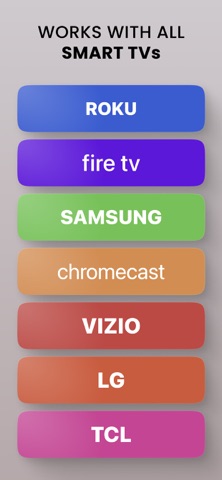
- Works with all TVs
- No delay
- Mirror anything from your phone screen to TV
- Cast photos and videos from your favourite sources like Photo Library or web
- Watch Youtube, TV shows and more
Note: in order to enable mirroring, make sure your devices are on the same Wi-Fi network. Make sure to turn off all VPN and proxy to connect to your TV.
Supported TVs
We have carefully tested our applications on a wide range of TV models to ensure compatibility. However, we cannot guarantee that it will work on every single device.
Some third-party apps have restrictions that may prevent screen mirroring, which can result in a black screen on your TV. For example, services like Netflix have chosen to limit this functionality which is beyond our control.
Privacy Policy: https://www.levelclashapps.com/PrivacyPolicy.html
Terms of Service: https://appville.io/terms-of-use