Scanner - PDF & OCR

Scanner - PDF & OCR Summary
Scanner - PDF & OCR is a free, with in-app purchases iOS app in Productivity by Scanner Inc.. Released in Nov 2021 (4 years ago). It has 9.00 ratings with a 4.22★ (good) average. Based on AppGoblin estimates, it reaches roughly 33 monthly active users and generates around $<10K monthly revenue (100% IAP / 0% ads). Store last updated Mar 9, 2022
Scanner - PDF & OCR SDKs Summary
App not yet scanned for SDKs.
4.22★
Ratings: 9.00
Screenshots

App Description
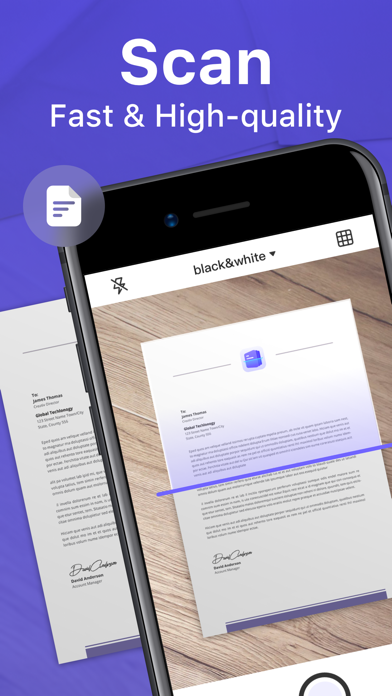
Scanner App transforms your iPhone and iPad into portable scanners,built-in OCR allows you to convert any scan into a text that can be copied.Helps you become more productive in your work and daily life.
Features:
- Easily scan your documents, receipts, photos, business cards, and more on the go, and save them as multi-page, high-quality PDF, JPEG, or TXT files.
- Built-in advanced scanning algorithm automatically detects borders of the page, corrects perspective and distortion, eliminates shadows and sets a perfect contrast for text - black on white.
- Scanned files can be sent to e-mail, printed, faxed, exported to album.
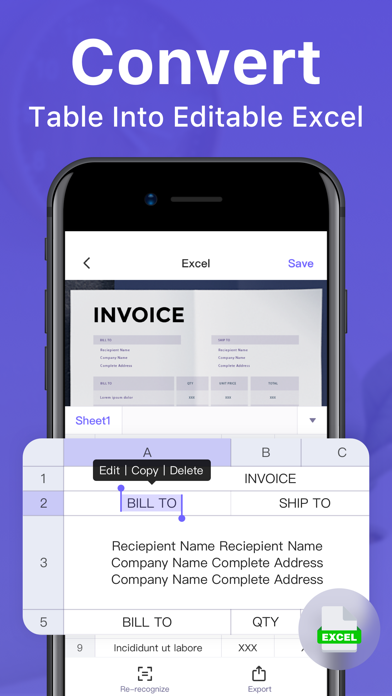
- Accurate OCR function. Support single and batch image text recognition. Support for copying and editing text with text cross-referencing.
- Convenient export function. Support JPG format export, can batch export. Support TXT format export, you can batch export OCR recognition results to TXT file.
Subscription:
- Payment will be charged to iTunes Account at confirmation of purchase.
- Subscription automatically renews unless auto-renew is turned off at least 24-hours before the end of the current period.
- Account will be charged for renewal within 24-hours prior to the end of the current period, and identify the cost of the renewal.
- You can cancel a free trial or subscription anytime by turning off auto-renewal through your iTunes account settings. This must be done 24 hours before the end of a free trial or subscription period to avoid being charged. The cancellation will take effect the day after the last day of the current subscription period, and you will be downgraded to the free service.
Terms of Service:https://www.2scanner.com/terms-of-services
Privacy Policy:https://www.2scanner.com/privacy-policy
Have questions, problems, or feedback? Reach out to us at https://www.2scanner.com/support