iPastels School/Office Edition
iPastels School/Office Edition Summary
iPastels School/Office Edition is a mobile iOS app in Education by Norbyte. Released in Oct 2021 (4 years ago). It has 5.00 ratings with a 4.80★ (excellent) average. Based on AppGoblin estimates, it reaches roughly 3.00 monthly active users . Store metadata: updated Dec 25, 2023.
Store info: Last updated on App Store on Dec 25, 2023 .
4.8★
Ratings: 5.00
Screenshots

App Description
Do not download the School/Office Edition of iPastels if you already have the free version and have upgraded it to Pro (they are the same)!
A painting app for all artists, whether you’re experienced or just starting out.
This app lets you enjoy all the iPastels features without any in-app purchases or additional downloads, making it ideal for use with Apple School Manager, or for anyone who has restricted the use of in-app purchases on their device.
Perfect for creating beautiful works of art or a quick sketch whenever and wherever you have a burst of inspiration.
You can also try out ideas and compositions before starting on a new painting in real life, or practise and refine your skills, all without the added cost of art supplies.
• UNIVERSAL PURCHASE •
This app download is a Universal Purchase, which means it’s valid for the School/Office Edition of the app on all available platforms (iPad-iPhone-Mac)!
• THIS PAID VERSION VS THE FREE VERSION •
There is also a free version of iPastels that can be upgraded to Pro, and they both have the exact same features.
Though we recommend upgrading the free version to Pro, this paid version is for those who can’t (due to using Apple School/Business Manager) or prefer not to make in-app purchases.
Please note that due to technical limitations the School/Office Edition and the upgraded free version are completely separate and not interchangeable.
If you have already purchased the Pro upgrade for the free version, that will NOT entitle you to download the School/Office Edition for free (or vice versa).
But there really is no reason to own both versions anyway, since they are virtually identical, so just pick one and remember to download the same kind on your other devices.
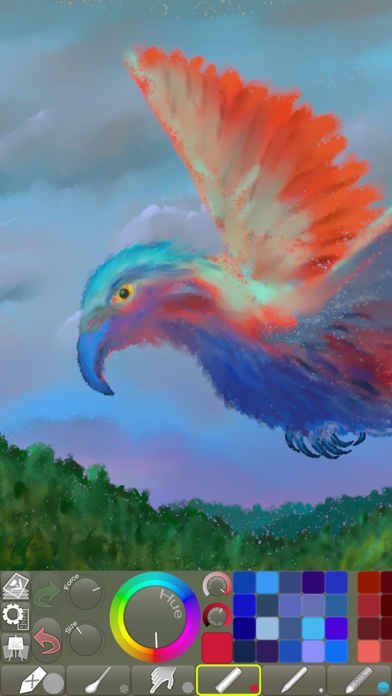
• LIFELIKE PASTEL SIMULATION •
The app features live-calculated brushes and strokes, making a realistic pastel simulation possible.
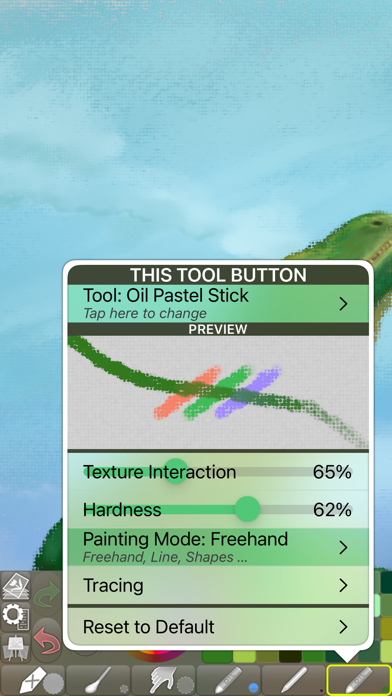
Painting tools include soft pastels, oil pastels, pastel pencils, smudge tool, and more.
• REALISTIC PAPER/CANVAS TEXTURES •
When creating a new picture, a unique, non-repeating paper texture is generated that will interact in real-time with the live-calculated strokes you paint.
You can change the default-generated texture to, for example, canvas, which goes great with oil pastels!
• PRECISE COLOR BLENDING •
When painting, especially with soft pastels, use Smudge or the Cotton Swab to blen