Nitro Photo

Nitro Photo Summary
Nitro Photo is a free, with in-app purchases iOS app in Photo And Video by Gentlemen Coders. Released in Mar 2024 (2 years ago). It has 85 ratings with a 4.72★ (excellent) average. Based on AppGoblin estimates, it reaches roughly 57 monthly active users and generates around $<10K monthly revenue (100% IAP / 0% ads). Store last updated Jun 2, 2026
SDK intelligence: AppGoblin detected 1 business tools(e.g. RevenueCat) integrated into Nitro Photo. View full SDK list →
Nitro Photo SDKs Summary
Nitro Photo was last scanned for SDKs on 2025-11-21. Below is the overview of third-party companies detected in the app. The full list of SDKs, permissions and unknowns is available here.
AppGoblin saw Nitro Photo uses 1 Business Tools
 RevenueCat
4.72★
Ratings: 85
Screenshots



App Description
Introducing Nitro, the brand new photo editor and manager from the developer of RAW Power. Nitro is designed for every photographer and every photograph. Try Nitro for free for 7 days without any obligation. No subscription signup, no nonsense. Requires iOS 16 or later.
Easy, Powerful, Fast. Built with the latest technologies, Nitro has exceptional integration with iOS, including the most control over Apple’s RAW decoder. Its combination of flexible storage options, camera support, and editing tools is unmatched by any app. If you liked Aperture or RAW Power, you’ll love Nitro.
Flexible Storage Options
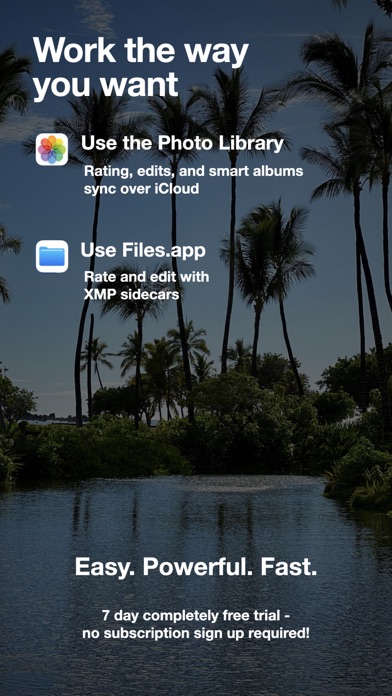
* Store your images in Files.app, external storage, or use Apple’s Photo Library
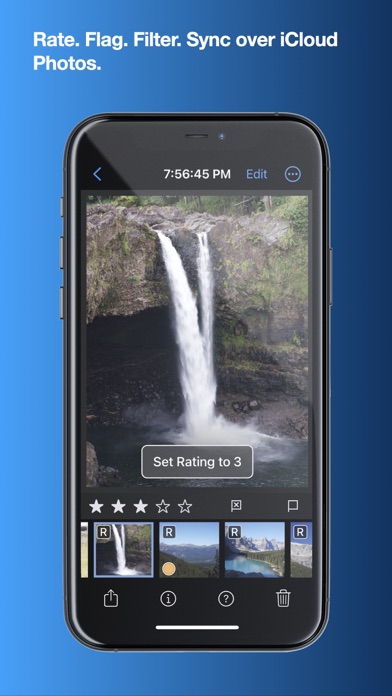
* Rate, flag, and filter your images by 11 criteria, including rating, orientation and file type
* Add keywords to images in the file system, manually or with AI assistance
* With Photos, ratings, edits, and smart albums sync over iCloud
* With Files.app and external storage, ratings and edits are stored in XMP sidecars
* Move originals, ratings, and edits between the Photo Library and Files.app
* UGreen NAS is not compatible with Nitro (bug reported to UGreen)
Thoughtful purchasing and trial options
* Try the app with absolutely no obligation. No signup, no unexpected charges.
* Buy the app once, or get an inexpensive monthly and annual plan
* All purchases include all platforms: macOS, iPhone, and iPad!
Stop waiting for camera support
* Supports more cameras than Photos, Darkroom, or Photomator, including compressed Fujifilm, Nikon HE and GoPro RAWs
* By far, the most control over Apple’s RAW decoder. Fine tune your RAWs with noise reduction, moire, ProRAW tone mapping, and more.
Seeing is Believing
* View detailed metadata side-by-side
* Synchronized Pan and Zoom of up to 4 images at once (iPad only)
* Comparison mode helps you pick your favorites from a burst
* Light and Dark user interface modes
Masking with AI
* AI-generated masks to quickly isolate a subject or background
* Linear and radial gradients with invert and control over the ramp
* Brushes provide full control over your mask, including softness, strength, and size
* Edge Aware brushes automatically follow contours
* Fine tune AI and gradients with brushes for maximum control
Quick Fixes
* Remove objects using Generative AI
* Clone
* Spot/Wire Removal
* Highlight Recovery
* Auto Enhance
16 Profess