classroom.cloud Student

classroom.cloud Student Summary
classroom.cloud Student is a mobile iOS app in Education by NetSupport Ltd. Released in Dec 2021 (4 years ago). It has 1.00 ratings with a 4.00★ (good) average. Based on AppGoblin estimates, it reaches roughly 1.00 monthly active users . Store metadata: updated Mar 11, 2026.
Store info: Last updated on App Store on Mar 11, 2026 .
4★
Ratings: 1.00
Screenshots

App Description
Designed for use within schools and other educational institutions, this Student browser app for iOS is for use with classroom.cloud, the easy breezy, low-cost, cloud-based IT management, online safety and teaching platform for schools.
classroom.cloud is a teacher’s dream come true. Incredibly easy to use, it provides a range of teaching tools that can flex to any learning environment – both in school and with remote learners. From real-time instruction and assessment tools, to boosting collaboration and support, as well as helping manage online behavior – it has it all!
With the optional online safety toolkit, selected staff can monitor online activity, identify students at risk, and spot concerning trends.
And, with its range of IT management tools, school techs can manage teacher and student devices centrally, as well as see at a glance how your technology is being used and how to maximize it – saving you a bunch of time and money!
Once your school has registered online with classroom.cloud, the app can be easily deployed by the IT team to student iPads (iOS 14 and above), enabling teachers to connect instantly and securely to the devices from the cloud-based Teacher console and allowing school techs to deliver instant remote support and device management.
The classroom.cloud student app can be set as the default browser on devices and offers support for Entra ID and Google authentication, allowing you to force students to sign-in to the app with Microsoft or Google credentials if applicable.
Teacher Tools:
• Choice of flexible connection methods – connect to a pre-defined group of student devices, a specified list of device or student names, or on the fly using a Class Code.
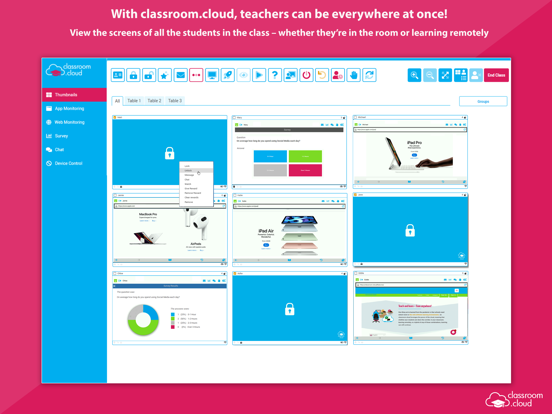
• Easily monitor students’ internet use via crystal-clear thumbnails. Zoom in using Watch/View Mode to take a closer look at activity on a single student device.
• Broadcast the teacher’s screen and audio to connected student devices to help show/talk them through explanations and lesson activities.
• Lock students’ screens in a single click to gain attention.
• Present students with the lesson objectives and their expected learning outcomes.
• Chat, send a message, and support your students via help requests – without their peers knowing.
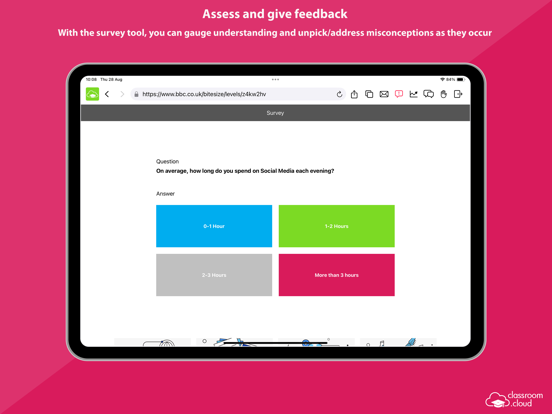
• Get a feel for students’ understanding of the topic you have just taught them by sending ou