SharkPaste - Fast Copy & Paste

SharkPaste - Fast Copy & Paste Summary
SharkPaste - Fast Copy & Paste is a free, ad-supported, with in-app purchases iOS app in Productivity by Auto Keyboard Studio. Released in Jun 2023 (3 years ago). It has 3.00 ratings with a 5.00★ (excellent) average. Based on AppGoblin estimates, it reaches roughly 9.00 monthly active users and generates around $<10K monthly revenue (27% IAP / 73% ads). Store last updated Jun 5, 2023
SharkPaste - Fast Copy & Paste SDKs Summary
App not yet scanned for SDKs.
5★
Ratings: 3.00
Screenshots



App Description
Tired of typing the same texts?
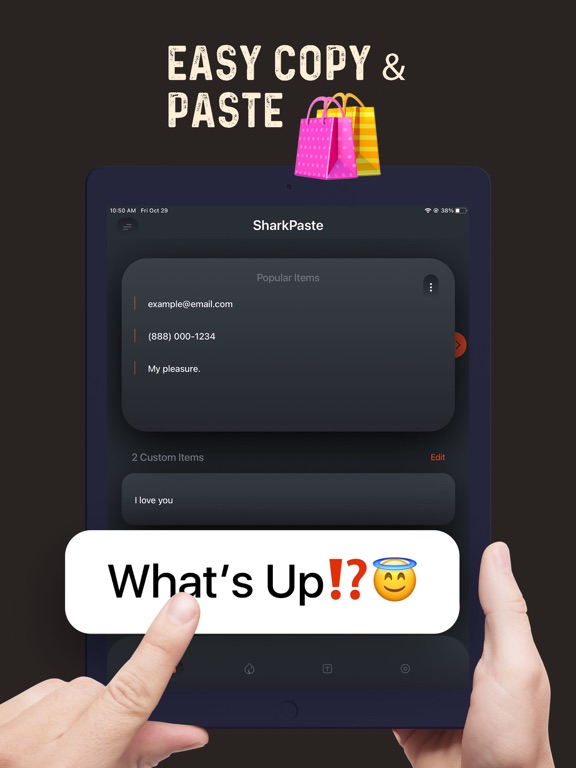
Add frequently used notes, emails, locations, bank accounts to this Copy Keyboard. Easily share your addresses, phone numbers, emails, emojis, songs, notes and any other just with one tap.
Do you want to prank your friends or family? This function is what you need.
If you need to insert duplicate text, do not do it manually, just select the Copy Keyboard saved templates, then share them in fastest rage mode. :)
You can share this app with others if you find this copy & paste keyboard fun and helpful!
Subscription terms:
* Subscription lengths: 1 week and 1 year.
* Enjoy all sends, items during the subscription.
* Subscriptions with a free trial period will automatically renew to a paid subscription. You can cancel your subscription in the iTunes settings at least 24-hours before the end of the free trial period. Subscription payments will be charged to your iTunes account at confirmation of your purchase and upon commencement of each renewal term.
* Please note: any unused portion of a free trial period (if offered) will be forfeited when you purchase a premium subscription during the free trial period.
* You can cancel a free trial or subscription anytime by cancelling your subscription through your iTunes account settings. This must be done 24 hours before the end of a free trial or subscription period to avoid being charged. The cancellation will take effect the day after the last day of the current subscription period, and you will be downgraded to the free service.
Please, make sure to read our Privacy Policy and Terms Of Service:
https://docs.google.com/document/d/1D_q0Wg_imSuPobUSpmLcntF-DGzGCx5W6RNC5P_sL9Y/edit?usp=sharing
https://docs.google.com/document/d/1vYI-HvH4YJnJjxALgoKX9ZoSNJoxeCiVuqEBpbwV0Qc/edit?usp=sharing