Procreate Dreams

Procreate Dreams Summary
Procreate Dreams is a mobile iOS app in Photo And Video by Savage Interactive Pty Ltd. Released in Nov 2023 (2 years ago). It has 1.2K ratings with a 3.66★ (average) average. Based on AppGoblin estimates, it reaches roughly 4.3K monthly active users . Store last updated Aug 10, 2026
Recent activity: 23 new ratings this week View trends →
Procreate Dreams SDKs Summary
App not yet scanned for SDKs.
3.66★
Ratings: 1.2K
Screenshots

App Description
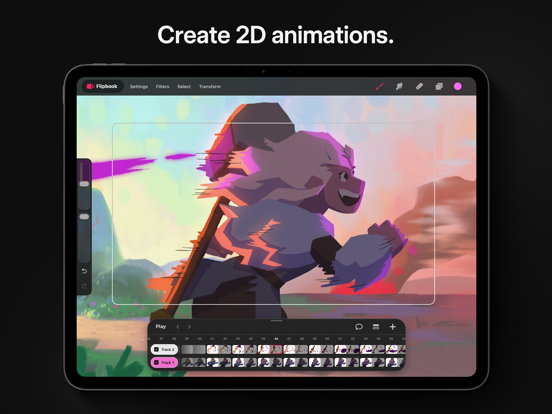
Procreate Dreams is an award-winning animation app, packed with powerful tools that anyone can use. Create rich 2D animations, expressive videos, and breathtaking stories on iPad.
With over 300 beautifully textured Procreate brushes, Procreate Dreams is perfect for creating gorgeous hand drawn, frame-by-frame animations.
Highlights:
- Powerful frame-by-frame animation tools.
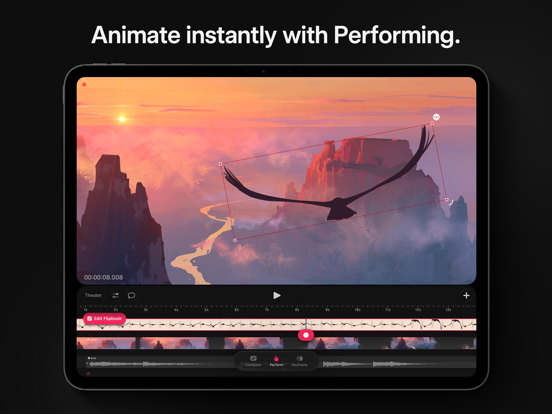
- Responsive Multi-track timeline.
- Keyframes for motion and cinematic animations.
- Record motion or effects effortlessly through touch.
- Handcrafted animation brush library.
- Next generation, realtime rendering engine.
Create frame-by-frame animations:
- Explore over 300 beautifully textured brushes to bring artistic soul to your work.
- Compatible with all Procreate brushes
- Up to 16K resolution for drawings.
- Paint outside your stage.
- Customizable onion skins.
- Automatic, freehand/lasso, and shape selections.
- Permanently transform, warp and distort your drawings.
- Blend modes and clipping, luminance, and layer masking
- Apply permanent filters & adjustments.
Compose video, photos, audio, and type:
- Import, edit and trim video.
- Draw-over your content.
- Add voice-overs and music.
- Craft titles, type and credits with typography styling, and design attributes.
Add animated motion and effects:
- Add keyframes to your content for precise transitions of motion and effects.
- Modify easing to refine your timing.
- Move, scale, rotate, warp & distort animations.
- HSB, opacity, gaussian blur, lens blur, noise, and sharpen effects.
- Group content to unlock the power of layered animations.
Import existing assets and content:
- Import video & photos in JPG, PNG, TGA, Procreate, MP4, GIF, and ProRes format.
- Import audio in MP3, AIFF, WAV, FLAC, AAC, CAFF, M4A, AC3, and MP2 format.
- Import custom and purchased Procreate brushes.
- Import layered Procreate files.
- Import Procreate Animation Assist as a Flipbook.
Share your work with the world:
- Export MP4s and MOVs in H264, HEVC, and ProRes codecs.
- Export transparent video.
- Export PNG sequences with transparency for professional pipelines.
- Export your current frame as a transparent image.
- Share your .drm files with your audio and video included.
Next generation technology
- Seamlessly mix drawing, frame-by-frame animation, keyframing, video editing, and compositing.
- Real-time rendering makes waiting a thing o