Parental Control App Kids360

Parental Control App Kids360 Summary
Parental Control App Kids360 is a free, ad-supported, with in-app purchases iOS app in Tools by MINDCARE LAB LTD. Released in Jan 2022 (4 years ago). It has 54K ratings with a 4.44★ (good) average. Based on AppGoblin estimates, it reaches roughly 141K monthly active users and generates around $10K+ monthly revenue (33% IAP / 67% ads). Store last updated Sep 29, 2026
Recent activity: 98 new ratings this week View trends →
SDK intelligence: AppGoblin detected 4 development tools(e.g. Google), 1 ad networks, 1 analytics: product,and 1 business tools integrated into Parental Control App Kids360. View full SDK list →
Parental Control App Kids360 SDKs Summary
Parental Control App Kids360 was last scanned for SDKs on 2026-09-24. Below is the overview of third-party companies detected in the app. The full list of SDKs, permissions and unknowns is available here.
 Google
 Airbnb Engineering
 nanopb
 ReactiveX
 Facebook
 Firebase
 Intercom
4.44★
Ratings: 54K
Screenshots



App Description
Kids360 is the first parental control app that kids enjoy. Help your child build healthy phone habits through smart screen time management, educational tasks, and positive routines - not just restrictions. Set phone limits, manage apps, create schedules, and give your child more independence while staying involved.
Kids360 helps parents create a balanced digital environment where children learn to use their phones responsibly. By completing educational tasks and physical activities, children can earn extra screen time and understand the value of managing their own device usage.
Create healthy screen time habits
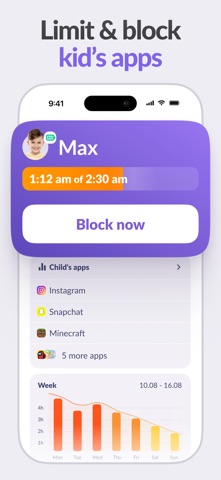
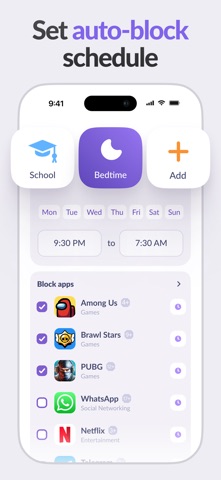
Set daily phone time limits and help your child develop better digital routines. Create schedules for school, homework, bedtime, or family time and decide when entertainment apps should be available.
Manage apps and games
Control which apps your child can use and limit distracting activities when needed. Block games, social media, or other apps that take too much time, while keeping access to important tools and learning apps.
Support your child's first smartphone
Kids360 is designed for families introducing a first phone or helping children become more independent with technology. Set clear boundaries while giving your child the opportunity to build responsible habits.
Turn screen time into motivation
Unlike traditional parental controls that only block and restrict, Kids360 helps make digital rules more positive. Children can complete educational tasks, solve logical exercises, practice math, and complete physical activities to earn additional phone time.
Help children stay active
Kids360 can automatically count physical exercises using the phone camera. Your child can complete activities such as jumps or squats and receive extra screen time based on completed exercises.
Keep your child safer online
Help protect your child from unsuitable websites and encourage safer internet use. Manage web access and create a more appropriate online environment for your child's age.
Know where your child is
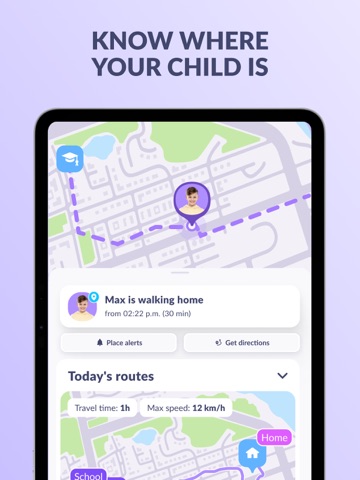
Stay connected with real-time GPS location. View your child's location on a map and feel more confident knowing where they are.
Stay connected when needed
Send a loud signal to your child's phone when you need to get their attention.
How Kids360 works:
Install Kids360 on your phone.
Install the Alli360 companion app on your child's smartphone.