RemoteLink 2

RemoteLink 2 Summary
RemoteLink 2 is a free iOS app in Medical by SBO Hearing. Released in Feb 2023 (3 years ago). It has 3.3K ratings with a 4.27★ (good) average. Based on AppGoblin estimates, it reaches roughly 12K monthly active users . Store last updated Aug 9, 2026
SDK intelligence: AppGoblin detected 2 development tools(e.g. Google),and 1 analytics: product integrated into RemoteLink 2. View full SDK list →
RemoteLink 2 SDKs Summary
RemoteLink 2 was last scanned for SDKs on 2026-08-30. Below is the overview of third-party companies detected in the app. The full list of SDKs, permissions and unknowns is available here.
 Google
 nanopb
 Firebase
4.27★
Ratings: 3.3K
Screenshots


App Description
RemoteLink 2 provides you with discreet, improved control over your hearing aids – so you can personalise your listening experience for any environment, find your hearing aids if they become lost, get remote support from your hearing care professional when you need it, and much more.
Certain app features may require a specific hearing aid model or a firmware update. Please consult your hearing care professional for assistance with firmware updates.
With RemoteLink 2, you can:
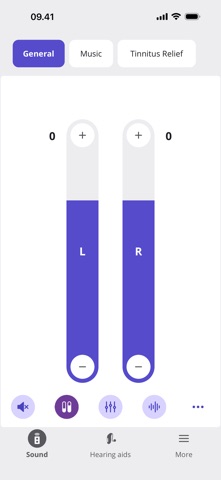
• Adjust the volume of your hearing aids and various settings (e.g. remote microphone, noise reduction, and sound and streaming equalizer)
• Switch between predefined programs according to the different listening situation you are in
• Monitor your battery levels
• Help you find your hearing aids if you lose them
• Use SpeechBooster to reduce background noise and enhance speech when you need to focus on conversation.
• Use your device as a remote microphone and get better access to the voice of another speaker in noisy environments
• Customize your surrounding sounds with the sound equalizer
• Set and track hearing aid wear-time goals with the MyDailyHearing feature
• Use the streaming equalizer for a personalized listening experience.
• Have your hearing aids adjusted and receive counseling from the comfort of your own home – via a live video call with your hearing care professional
• Handle wireless accessories paired with your hearing aids; control multiple TV Adapters or devices, such as EduMic or ConnectClip, which can be used both for streaming and as a remote microphone
• Connect to and adjust an Auracast™ broadcast (available with select hearing aids)
• Get reminders to replace your wax filters to maintain sound quality (available with select hearing aids)
• Reduce background noise while streaming with Streaming comfort (available with select hearing aids)
First use:
You need to pair your hearing aids with this app to use it to control your hearing aids.
For optimal performance, we recommend updating your device to iOS 18 or later.