AI Video Editor - VidMa Cut AI

AI Video Editor - VidMa Cut AI Summary
AI Video Editor - VidMa Cut AI is a with in-app purchases iOS app in Photo And Video by Atlasv Global Pte. Ltd.. Released in Feb 2022 (4 years ago). Store metadata: updated Oct 24, 2025, version 935.
Data tracking: SDKs and third-party integrations were last analyzed on Oct 28, 2025.
Store info: Last updated on App Store on Oct 24, 2025 (version 935).
SDKs, Trackers & Permissions
AI Video Editor - VidMa Cut AI was last scanned for SDKs 2025-10-28. Below is the overview of third party companies detected in the app. The full list of raw SDKs, app permissions and unknown SDKs is available here.
AppGoblin saw AI Video Editor - VidMa Cut AI uses 6 Development Tools
 nanopb
 SDWebImage
 Airbnb Engineering
 Alamofire
AppGoblin saw AI Video Editor - VidMa Cut AI uses 3 Ad Networks
 AdMob
AdMob Google
 Snap
SnapAppGoblin saw AI Video Editor - VidMa Cut AI uses 2 Analytics: Attribution
 Adjust
 AppsFlyer
AppGoblin saw AI Video Editor - VidMa Cut AI uses 1 Analytics: Product
 Firebase
App Details
App Store
Ads & App-Ads.txt
AppGoblin SDK Scans
0★
Ratings:
Screenshots


App Description
Create videos from text with AI video generator. Generate & edit videos with auto captions, add music, ai effects & filters easily!
[AI Photo & Video Generator]
- AI Video Generator: Turn text into videos effortlessly.
- AI Caption Generator: Generate captions automatically.
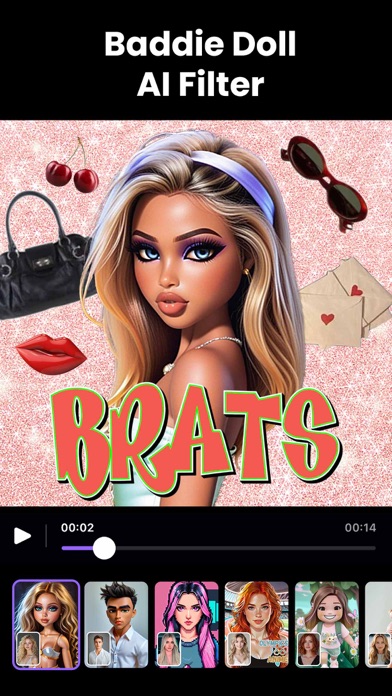
- AI Filters & Effects: Elevate ordinary videos with AI effects.
- AI Photo Generator: Turn words and photos into digital artworks.
- Professional Headshot Generator: Create flawless portraits effortlessly.
[Powerful Video Editing]
- Multi-Track Editing: Craft complex narratives & dynamic visuals with layers of video, effects, transitions, stickers, and text.
- Precise Clip Editing: Shape videos with tools that combine, duplicate, split, and trim clips. Save drafts to refine your projects anytime.
- Advanced Features for Professionals: Leverage pro tools like keyframing, chroma key, and video blending to create broadcast-quality content.
[Add Music to Video]
- Expansive Music Library: Over 6,000 royalty-free tracks perfectly match your mood.
- Quick Music Editing: Extract and fine-tune audio with pre-trimming feature.
- Add Voice & Sound: Record voice-overs and enhance your audio with sound effects.
[Trending Video Effects]
- Velocity Control: Adjust video speed with speed ramping, from dynamic hyper-lapses to captivating slow-motion, while preserving audio pitch.
- Video Overlays & Blending Modes: Combine clips in artistic ways to craft standout composite visuals.
[Video Enhancement Tools]
- Trendy Filters and Effects: Apply filters like Glitch, Motion Blur, and Vintage to enhance the aesthetic appeal of your videos.
- Professional Color Grading: Adjust saturation, temperature, exposure, and more to achieve the perfect mood and tone for your content.
[VIDMA PRO SUBSCRIPTION]
- With VidMa Pro video editor unlimited subscription, you can access all AI features and paid editing materials including exclusive effects, filters and music assets, etc. Watermark will be removed automatically.
- Subscription: Weekly, Monthly, Annual billing.
- Payments will be charged to your iTunes account.
- Subscriptions renew automatically unless cancelled 24+ hours before renewal date.
- Your account will be charged for the subscription renewal up to 24 hours prior to the end of your current subscription period in order to ensure uninterrupted access.
- You can turn off auto-renewal at any time thro