Camera Scanner: PDF Converter

Camera Scanner: PDF Converter Summary
Camera Scanner: PDF Converter is a free, ad-supported, with in-app purchases iOS app in Productivity by Liger Infotech. Released in Dec 2021 (4 years ago). It has 55K ratings with a 4.66★ (excellent) average. Based on AppGoblin estimates, it reaches roughly 187K monthly active users and generates around $10K+ monthly revenue (72% IAP / 28% ads). Store last updated Oct 3, 2026
Recent activity: 7.00 new ratings this week View trends →
SDK intelligence: AppGoblin detected 7 development tools(e.g. Google), 6 ad networks, 2 analytics: product,and 2 business tools integrated into Camera Scanner: PDF Converter. View full SDK list →
Camera Scanner: PDF Converter SDKs Summary
Camera Scanner: PDF Converter was last scanned for SDKs on 2026-10-16. Below is the overview of third-party companies detected in the app. The full list of SDKs, permissions and unknowns is available here.
 Google
 Facebook
 AppLovin
 Unity
Unity Airbnb Engineering
 nanopb
 Alamofire
 Firebase
 Mixpanel
 RevenueCat
 Superwall
4.66★
Ratings: 55K
Screenshots


App Description
Turn your iPhone into a powerful camera scanner and PDF converter.
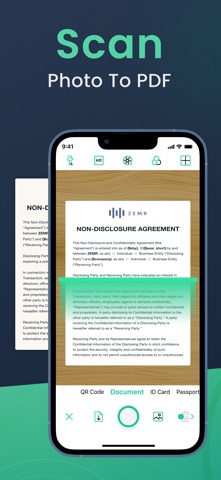
Camera Scanner helps you scan documents, convert photo to PDF and manage files with a fast, professional PDF scanner built for everyday productivity.
Whether you need a document scanner for work, a receipt scanner for expenses, or a photo scanner to digitize memories, this all-in-one scanner app makes going paperless simple.
→ Scan Documents Anytime, Anywhere:
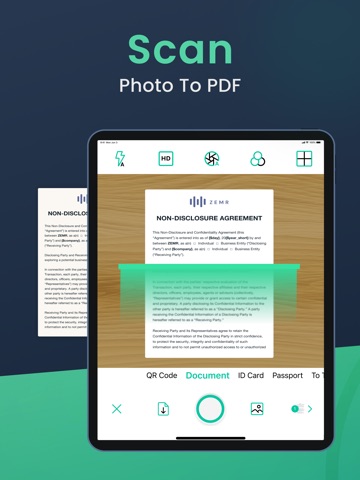
Use your device as a smart document scanner to scan documents, contracts, notes, IDs, books and receipts. Advanced edge detection ensures clean, sharp results every time.
• Scan documents with high accuracy
• Automatic edge detection and perspective correction
• Save scans as high-quality PDF documents
• Perfect for document scan, doc scan and paper scanner needs
This mobile scanner PDF app is ideal for professionals, students and anyone who needs a reliable scanning app.
→ Photo to PDF & PDF Converter:
Easily convert photo to PDF and create professional files in seconds. The built-in PDF converter and PDF maker allow you to combine images, scan photos to PDF and organize multi-page documents.
• Photo to PDF converter for instant file creation
• Merge multiple scans into one PDF document
• Convert PDF and images with ease
• Create PDFs using a powerful PDF maker
Perfect for users searching for photos to PDF, photo scanner tools or a scanner to PDF solution.
→ PDF Editor & Sign Documents:
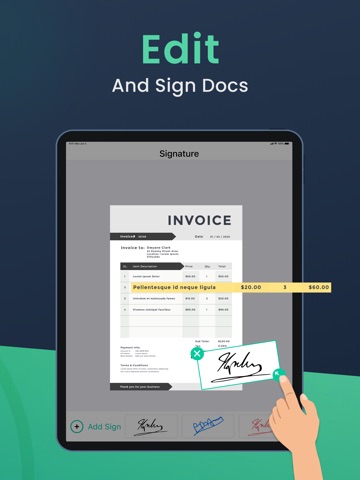
Edit, annotate, and sign PDF files directly from your phone. Whether you need to sign documents, fill forms or add notes, Camera Scanner makes document management effortless.
• Sign PDF and sign documents securely
• Add annotations and comments
• Edit files with an easy PDF editor
• Ideal for business, contracts and forms
A must-have PDF editor and PDF reader for managing important files on the go.
→ Smart PDF Reader & File Manager:
Organize and access your files with a built-in PDF reader designed for speed and clarity.
• Open and read PDF documents instantly
• Manage files in one scanning app
• Search and organize your document scanner app library
• Keep receipts and records neatly stored
This scanner app helps you stay productive and organized.
→ Receipt Scanner for Expenses & Taxes:
Track expenses and store receipts digitally with a reliable receipt scanner.
• Scan receipts for business