KineMaster - AI Video Editor

KineMaster - AI Video Editor Summary
KineMaster - AI Video Editor is a free, ad-supported, with in-app purchases iOS app in Photo And Video by KineMaster Corporation. Released in May 2022 (4 years ago). It has 180K ratings with a 4.72★ (excellent) average. Based on AppGoblin estimates, it reaches roughly 112K monthly active users and generates around $10K+ monthly revenue (57% IAP / 43% ads). Store last updated Oct 7, 2026
Recent activity: 404 new ratings this week View trends →
SDK intelligence: AppGoblin detected 4 ad networks(e.g. Google), 4 development tools,and 1 analytics: product integrated into KineMaster - AI Video Editor. View full SDK list →
KineMaster - AI Video Editor SDKs Summary
KineMaster - AI Video Editor was last scanned for SDKs on 2026-09-24. Below is the overview of third-party companies detected in the app. The full list of SDKs, permissions and unknowns is available here.
 Google
 Facebook
 AdMob
AdMob Snap
Snap Airbnb Engineering
 nanopb
 OpenID
 Firebase
4.72★
Ratings: 180K
Screenshots




App Description
No editing skills needed — just tap and go viral.
[ AI Tools for Your Next Video ]
Turn your clips and photos into awesome videos faster with KineMaster’s built-in AI tools! Create captions, generate voices, remove backgrounds, add incredible visual effects, and more!
• AI Auto Captions: Add subtitles instantly from video or audio
• AI Text-to-Speech: Create spoken audio from text with one tap
• AI Voice: Make your audio unique with AI Voices
• AI Music Match: Get song recommendations fast
• AI Magic Removal: Cut out the background around people and faces
• AI Noise Removal: Zap distracting sounds in your video or audio
• AI Vocal Separator: Split a song into vocals and music
• AI Tracking: Make your text and stickers follow moving objects
• AI Upscaling: Boost the resolution of low-resolution media
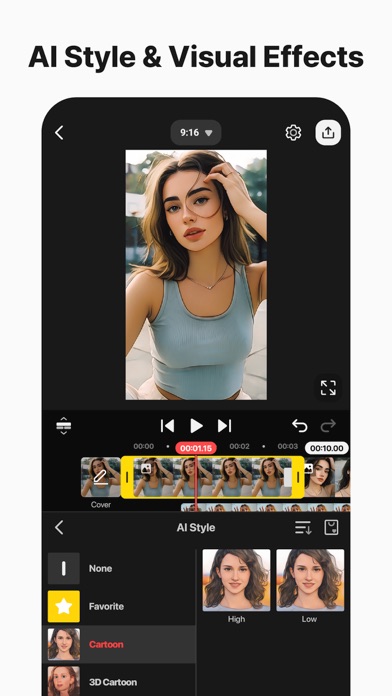
• AI Style: Add artistic effects to your videos and images
• AI Templates: Get a template recommended for your next awesome video!
[ Professional Video Editing for Everyone ]
KineMaster makes advanced tools easy to use.
• Keyframe Animation: Adjust the size, position, and rotation of every layer
• Chroma Key (Green Screen): Remove backgrounds and combine videos like the pros
• Speed Control: Reverse, slow down, or turn your videos into time-lapse masterpieces
[ Jumpstart Your Creativity ]
Pick a template, replace its photos and videos, and you’re done!
• Thousands of Templates: Build your own from pre-made video projects
• Mix: Save your video project as a template to share with KineMaster editors everywhere
• KineCloud: Back up personal projects to the cloud to continue editing on another day or another device
[ Make Your Video Stand Out with Assets ]
The KineMaster Asset Store has tens of thousands of resources to make your next video amazing! Effects, stickers, music, fonts, transitions, and VFX: everything is ready to use.
• Effects & Transitions: Enhance your videos with amazing visuals
• Stickers & Clip Graphics: Add graphic animations and design elements
• Music & SFX: Make a video that sounds as good as it looks
• Stock Videos & Images: Get pre-made green screen effects, free stock footage, and tons of video backgrounds
• Variety of Fonts: Apply design-ready stylish fonts
• Color Filters: Choose from a huge variety of color filters for the perfect look
[ High-Quality Output or Optimized Video: Y