AR Trace Projector & Sketch

AR Trace Projector & Sketch Summary
AR Trace Projector & Sketch is a free, ad-supported, with in-app purchases iOS app in Art And Design by ZipoApps. Released in Mar 2022 (4 years ago). It has 1.5K ratings with a 4.04★ (good) average. Based on AppGoblin estimates, it reaches roughly 3.7K monthly active users and generates around $<10K monthly revenue (25% IAP / 75% ads). Store last updated Aug 14, 2026
AR Trace Projector & Sketch SDKs Summary
App not yet scanned for SDKs.
4.04★
Ratings: 1.5K
Screenshots


App Description
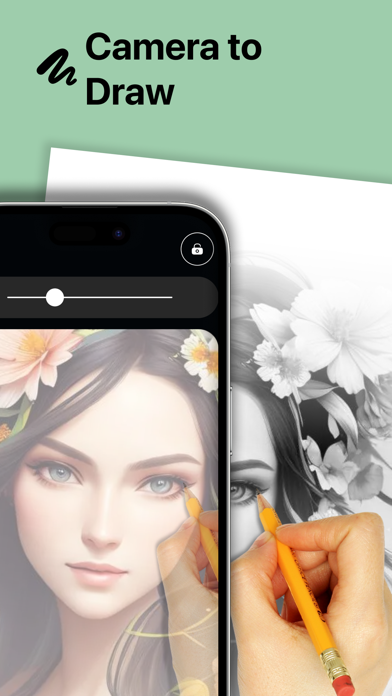
Tracing Projector – Creator helps you trace, sketch, and create impressive artwork fast — even if you have zero experience.
Creating art has never been this easy. Pick any image from your phone, project it onto a surface, and follow the outline to build your sketch step by step.
With our projection-based tracing tools, you can sketch on almost any surface you like — paper, wall, board, or canvas. Want structured practice? Use the grid layout to trace proportions and patterns more accurately.
You can create clean outlines for portraits, designs, tattoos, crafts, or street-style artwork. Just choose an image, grab your pencil, pen, brush, or spray can, and start tracing.
Key Features
Trace on Any Surface
Project your chosen image and follow the guide to trace lines and shapes on paper, walls, boards, and more.
Learn Sketching Faster
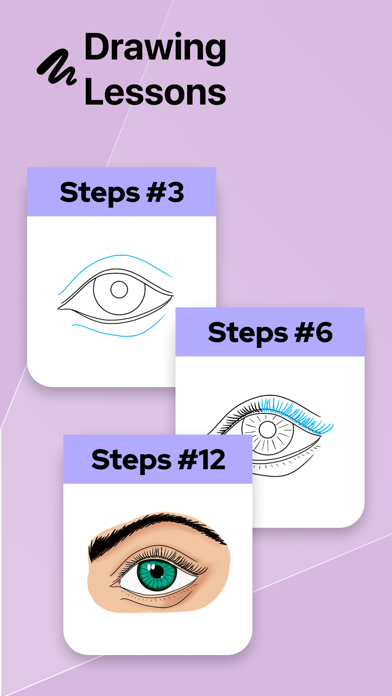
Practice by tracing outlines on-screen, then add shading and color to improve your skills naturally.
Smart Alignment & Better Accuracy
The app helps keep your image positioned so you can focus on tracing and sketching without frustration.
Easy to Use
Choose an image from your gallery, allow camera access, and start projecting. You can also use your flash if you need extra light.
It’s like having a guided tracing projector in your pocket — you simply follow the projected outline and bring your sketch to life. Create artwork anytime, anywhere, with minimal effort.
This tool can also support creative workflows in areas like fashion, crafts, design mockups, and prototypes — helping you trace faster and turn ideas into sketches more quickly.
Once your sketch is complete, enjoy adding color and finishing touches your way. With the right colors and a clean outline, your final piece will look polished and professional.
Create beautiful sketches on paper, board, tablet stands, or walls — and turn simple outlines into masterpieces.
Privacy Policy: https://zipoapps.com/projectorarios/privacy/
Terms of Use: https://zipoapps.com/projectorarios/terms/