Colorist :Pop Art Photo Editor
Colorist :Pop Art Photo Editor Summary
Colorist :Pop Art Photo Editor is a with in-app purchases iOS app in Art And Design by Vineeta Khatuja. Released in Mar 2022 (4 years ago). It has 182 ratings with a 4.75★ (excellent) average. Based on AppGoblin estimates, it reaches roughly 447 monthly active users and generates around $<10K monthly revenue (100% IAP / 0% ads). Store metadata: updated Jun 27, 2022.
Recent activity: 1.00 new ratings this week View trends →
Store info: Last updated on App Store on Jun 27, 2022 .
4.75★
Ratings: 182
Screenshots

App Description
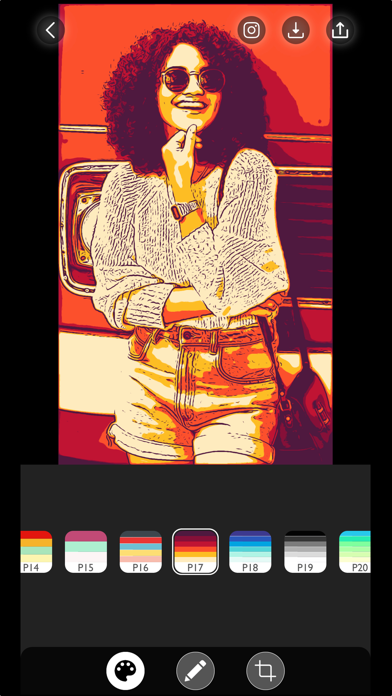
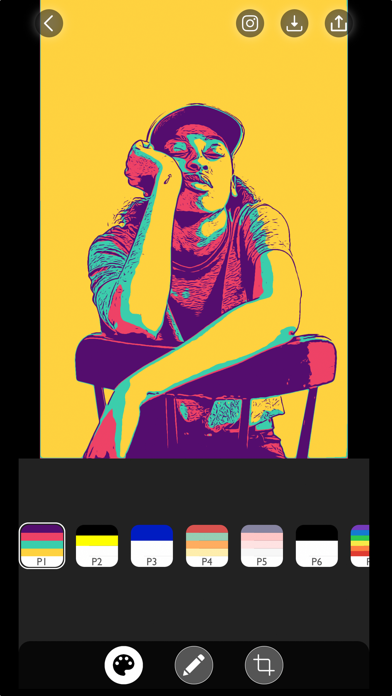
Colorist app transforms your world to living pop art, monochromatic paintings and ink drawings with its live camera preview photo filters. You can take pop art selfies, create stencils for silk screening or transform your existing photos to Andy Warhol and
Shepard Fairey style art with over 90+ color palette options to choose from.
In the FREE version we provide:
* 6 FREE selectively curated color palettes.
* Unlimited photo imports from the photo library.
* Unlimited photo export and shares.
* HIGH-RESOLUTION image export.
In the PRO version we provide:
* Unlimited access to 90+ color palettes
* Illustration outlines and color adjustment tools.
* Editing tools to fine tune the sketches.
* Image export without watermark.
* Access to all the Premium Photo Filters.
We truly value your privacy. All of your data is processed LOCALLY and INSTANTLY on your device. Your photos data is entirely private and never leaves your device.
If you have any questions or feedback for us, please write to us at colorist@mytoonist.com
Terms of Use https://www.mytoonist.com/colorist-terms-of-use/
Privacy Policy https://www.mytoonist.com/colorist-privacypolicy/