Find Bluetooth: BLE Scanner

Find Bluetooth: BLE Scanner Summary
Find Bluetooth: BLE Scanner is a free, with in-app purchases iOS app in Productivity by Sunshine Software Labs. Released in Mar 2022 (4 years ago). It has 459 ratings with a 4.25★ (good) average. Based on AppGoblin estimates, it reaches roughly 1.8K monthly active users and generates around $<10K monthly revenue (100% IAP / 0% ads). Store last updated Sep 10, 2026
Recent activity: 2.00 new ratings this week View trends →
Find Bluetooth: BLE Scanner SDKs Summary
App not yet scanned for SDKs.
4.25★
Ratings: 459
Screenshots

App Description
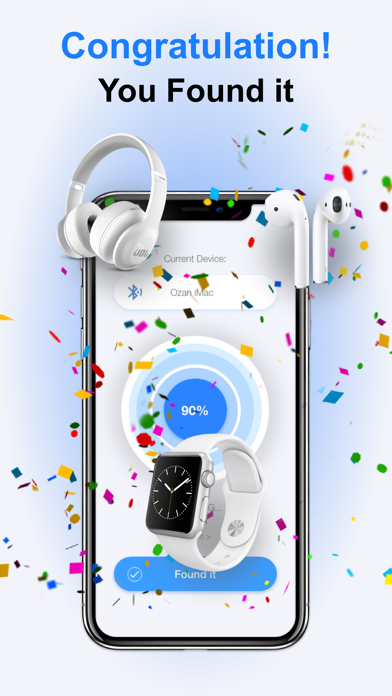
Lost your AirPods, headphones, or another Bluetooth device? Find it fast with a live BLE radar, signal strength, and distance hints—before the battery runs out.
Scan nearby Bluetooth Low Energy (BLE) devices in seconds and walk toward the strongest signal.
HOW TO USE
1. Open the app and scan for nearby BLE devices.
2. Select the device you want to find from the list.
3. Move slowly while watching the radar, signal strength, and estimated distance.
4. When you are within a few meters, look around—your device is close.
KEY FEATURES
• Live scan for nearby Bluetooth Low Energy devices
• Radar view with signal strength and distance estimates
• Fast guidance to help you locate lost earbuds, headphones, speakers, watches, and more
• Clean, modern interface designed for quick recovery
COMPATIBLE DEVICES
Works with many BLE devices that are powered on and advertising, including:
• Wireless earbuds and AirPods
• Bluetooth headphones and headsets
• Portable Bluetooth speakers
• Smartwatches and fitness wearables
• AirTag and other BLE accessories
IMPORTANT
Your device must be turned on and broadcasting a Bluetooth signal to appear. Classic Bluetooth-only devices may not be detectable.
Auto-Renewable Subscription Terms:
• Payment is charged to your Apple ID account at confirmation of purchase.
• Subscription renews automatically unless auto-renew is turned off at least 24 hours before the end of the current period.
• Your account is charged for renewal within 24 hours prior to the end of the current period.
• Manage subscriptions and turn off auto-renew in your App Store account settings.
Terms: https://sunshine-dev.com/?page_id=98
Privacy Policy: https://sunshinesoftwarelabs.com/