CellPointerPro

CellPointerPro Summary
CellPointerPro is a mobile iOS app in Productivity by 冠宇 龚. Released in Mar 2022 (4 years ago). Store last updated May 28, 2026
CellPointerPro SDKs Summary
App not yet scanned for SDKs.
0★
Ratings: 0
Screenshots


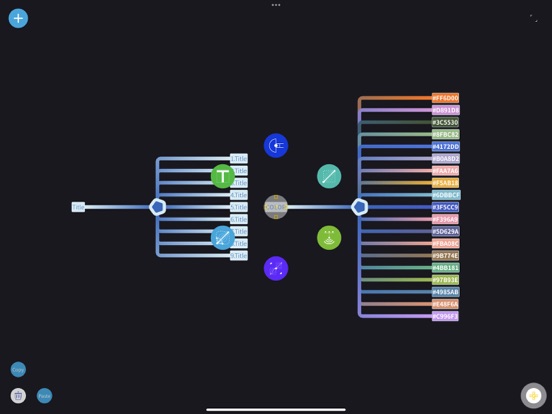


App Description
Record the key information of the current state casually through CellPointer, because with the information anchor point, you can safely empty the current brain, enter a new state, and build a new process. The key is the information anchor point, which can be traced back at any time and reduce the burden on the brain.
→ One-click demo: Auto-play voices of connected nodes sequentially with dynamic subtitles, no manual review needed.
Support iCloud and can automatically synchronize between different Apple devices.
Every day, there are a lot of new ideas and scenes come to mind and inadvertently become fragments of information, sprinkled in an unknown corner of the deep sea of memory, and quickly forgotten as if they had never appeared. Letting these small fragments leave traces in the real world so that they can be quickly recovered is one of the daily tasks of the little pointer.
In the fantasy stage, remember it casually. When a new idea appears, it should be converted into a text record through voice, keyboard, scanning, etc. and placed on a branch line of the small pointer. This conversion process should run like a sketch of painting. Fast-generated transcript can retrieve the meaning which you’ve known.
→ The little pointer can switch between different branches. In order to speed up this progress, a large number of backup branches can be generated on a node.
It is time to enter the carefully selected stage after a large number of ideas, scenes leaving a fast-generated transcript in the small pointer.
→ The synthetic speech of branch text can be set through the voice setting menu. The text label in the cellpointer supports attribute text.
→ In the setting text menu, click the corresponding switch to switch between plain text and attribute text.
→ The menu in the upper left corner can insert a picture for the node, and you can search for the corresponding node by specifying content.
→ In the settings menu, you can set whether the background is follow mode or fixed mode.
→ In setting mode, you can change the size of the background. The corresponding sliding bar can be pulled to the end, which can double its sliding range. The background can be two gradient colors or three gradient colors.
→ The sliding page can also be set to browsing mode, normal mode and compound mode. There are other setup functions, and I look forward to your att