Hawkeye : WiFi Network Scanner
Hawkeye : WiFi Network Scanner Summary
Hawkeye : WiFi Network Scanner is a with in-app purchases iOS app in Tools by 龙 王. Released in Apr 2022 (4 years ago). It has 6.4K ratings with a 4.61★ (excellent) average. Based on AppGoblin estimates, it reaches roughly 26K monthly active users and generates around $<10K monthly revenue (100% IAP / 0% ads). Store metadata: updated Aug 10, 2024.
Store info: Last updated on App Store on Aug 10, 2024 .
4.61★
Ratings: 6.4K
Screenshots


App Description
Hawkeye is an artifact for network environment security detection.
With the popularity of network equipment, its application scenarios are increasing day by day, which brings convenience to people's life. But unfortunately, we have also noticed that there are a small number of people who abuse this technology and use it for improper purposes. For example, they install hidden devices in private places (hotel rooms, rental houses, SPA massage parlors, dressing rooms, bathrooms) without authorization, invade the privacy of others, and use the contents for improper business benefits.
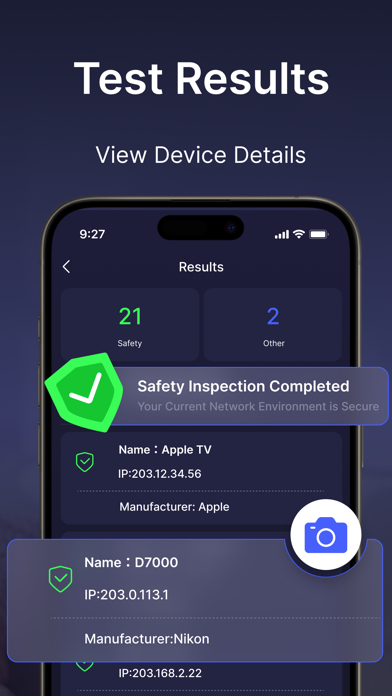
Hawkeye can detect all electronic devices in the wifi network environment in real time, and distinguish between safe electronic devices and suspicious sneak-camera equipment, protecting your privacy in real time.
Main functions:
- WIFI device detection
- Display all connected devices
- Network routing security detection and delay
- Analysis of safe devices and suspicious devices
- Anti-secret camera safety guide
- Fresh and ad-free, simple to operate
Subscription Service: In-app subscription service is available at $4.99/ week and $9.99/ month. Unless you cancel at least 24 hours before the end of the current validity period, the subscription will automatically renew and the subscription fee will be charged to your APP Store account when you confirm your purchase. Users can also manage their subscriptions in the APP Store account settings after purchase and choose to turn off auto-renewal.
Cancel Subscription: If you need to cancel the renewal, please go to Settings--> enter iTunes Store and App Store--> tap App ID, select View Apple ID, enter Account Setting, tap Subscription, and select Cancel Subscription. If you do cancel the subscription at least 24 hours before the end of the subscription period, the subscription will be automatically renewed.
Privacy Policy: https://shimo.im/docs/9030MnMXjYszexqw/
User Agreement: https://shimo.im/docs/25q5M4M9Y9soEeqD/