DeskIn Remote Desktop

DeskIn Remote Desktop Summary
DeskIn Remote Desktop is a with in-app purchases iOS app in Productivity by ZULER TECHNOLOGY PTE. LTD.. Released in Jul 2022 (3 years ago). It has 396 ratings with a 4.54★ (excellent) average. Based on AppGoblin estimates, it reaches roughly 1.2K monthly active users and generates around $<10K monthly revenue (100% IAP / 0% ads). Store metadata: updated May 21, 2026, version 320.
Data tracking: SDKs and third-party integrations were last analyzed on Sep 13, 2025.
Store info: Last updated on App Store on May 21, 2026 (version 320).
SDKs, Trackers & Permissions
DeskIn Remote Desktop was last scanned for SDKs 2025-09-13. Below is the overview of third party companies detected in the app. The full list of raw SDKs, app permissions and unknown SDKs is available here.
 OpenID
 nanopb
 SDWebImage
 Alamofire
 Facebook
 Snap
Snap Firebase
App Details
App Store
Ads & App-Ads.txt
AppGoblin SDK Scans
4.54★
Ratings: 396
Screenshots



App Description
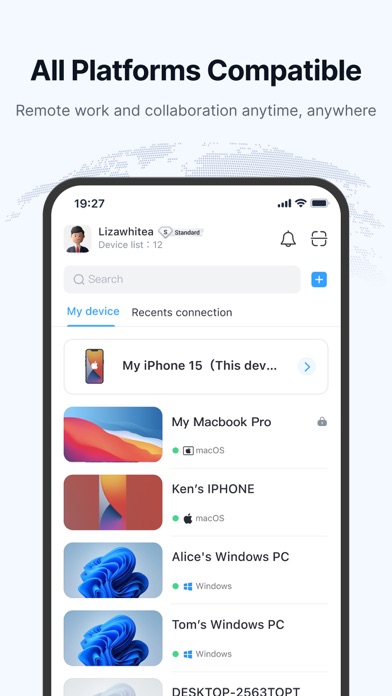
DeskIn is a free remote desktop app delivering fast, secure, stable remote access for personal use. Control one or multiple remote devices from your iPad or iPhone with a high-performance connection. Whether you're working remotely, offering IT support, studying, designing, or helping family, DeskIn keeps you productive. A powerful alternative to Windows App, Splashtop, AnyDesk, Parsec, Moonlight, and Unified Remote.
Why DeskIn?
Feature-Rich Remote access, file transfer, screenshare, screen extension, real-time voice chat, mobile control, remote play, and remote support—built for both work and entertainment.
Excellent Performance 4K60FPS / 2K144FPS ultra-HD resolution and 40ms latency for a smooth experience in gaming and design.
Fast & Stable 12MB/s file transfer speed and a stable connection that holds up even in low-bandwidth environments.
Cross-Platform Seamless access across Windows, macOS, iOS, and more.
Secure & Flexible Bank-level E2E encryption, two-factor authentication, allow/block lists, and custom passwords for unattended access.
What You Can Do with DeskIn
• Cross-Platform Remote Access Access and control Windows 10/11 and Mac computers, plus mobile clients, from your iPhone or iPad. A full-featured alternative to Microsoft Remote Desktop and RDP.
• Secure Unattended Access Set passwords for unattended access and enable privacy mode to hide remote screens—ideal for always-on mobile work and PC remote sessions.
• File Transfer & Sync Transfer files between phone and PC with no format or size limits. Send documents, images, or videos, and print remote files locally.
• Quick Remote IT Support Use quicksupport and quickconnect for fast IT help. Run CMD or SSH commands remotely. Offer Apple or Airdroid-style remote support. Wake-on-LAN (WOL), start, shut down, or troubleshoot systems instantly.
• Remote Work & Collaboration A perfect mobile work and remote access tool. Share clipboards, annotate, and communicate during sessions. Works seamlessly with Microsoft 365, Microsoft Access, and other enterprise tools.
• Screen Mirroring & Extension Cast or extend your screen to PC, Mac, tablets, or even a remote TV. The simplest screenshare and screen extension solution—no shared network required.
• Mobile Control & App Remote Control mobile devices from your computer via virtual phone or app remote, turning your PC into a