SSSTik: TT Video Downloader HD

SSSTik: TT Video Downloader HD Summary
SSSTik: TT Video Downloader HD is a free, with in-app purchases iOS app in Social Networking by SSSTik. Released in Jun 2022 (4 years ago). It has 91K ratings with a 4.81★ (excellent) average. Based on AppGoblin estimates, it reaches roughly 272K monthly active users and generates around $10K+ monthly revenue (100% IAP / 0% ads). Store last updated Sep 9, 2026
Recent activity: 488 new ratings this week View trends →
SDK intelligence: AppGoblin detected 4 development tools(e.g. Google), 2 ad networks,and 2 analytics: product integrated into SSSTik: TT Video Downloader HD. View full SDK list →
SSSTik: TT Video Downloader HD SDKs Summary
SSSTik: TT Video Downloader HD was last scanned for SDKs on 2026-10-04. Below is the overview of third-party companies detected in the app. The full list of SDKs, permissions and unknowns is available here.
 Google
 Snap
Snap nanopb
 Alamofire
 MongoDB
 Firebase
 Amplitude
4.81★
Ratings: 91K
Screenshots




App Description
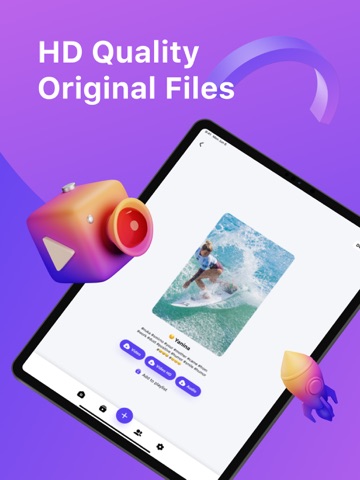
SSSTik is a great TT downloader that helps you repost or save videos effortlessly in just two steps. Simply find the video you want to download, copy the link, and open the SSSTik app — that's it!
Features
1. Download videos in original HD quality.
2. Share. When you saved your video to mp4, you can send it via email, instant messengers, and more.
3. Create playlists of your favorite videos.
4. Review analytics such as plays, likes, and comments.
5. Simple and fast — just open the SSSTik app and tap the blue button.
6. Watch videos offline, even without an internet connection.
7. Save video to MP3.
SSSTik saver will help you in the following cases:
- you want to download TT video because it can be lost one day.
- you want to create a collection of funny videos and watch them later with friends.
How to use?
1. Open the TT app.
2. Find a video, tap the "Share" button, and select "Copy link."
3. Then open SSSTik - our downloader app. You can also use another apps, but our app works much faster.
4. If your link is correct, our video downloader will add your video to a Playlist.
5. To share a video, tap the "Share" button.
Notes:
- Please, respect the copyright of the owners. So do not repost the videos without owners’ permission.
- We are not responsible for any intellectual property violation that results from an unauthorized repost of a video or photo.
EULA: https://www.apple.com/legal/internet-services/itunes/dev/stdeula/
Thanks very much for using our app.