Adblocker For YouTube Videos

Adblocker For YouTube Videos Summary
Adblocker For YouTube Videos is a with in-app purchases iOS app in Tools by 国辉 满. Released in Apr 2022 (4 years ago). It has 4.6K ratings with a 4.48★ (good) average. Based on AppGoblin estimates, it reaches roughly 10K monthly active users and generates around $<10K monthly revenue (100% IAP / 0% ads). Store last updated Jun 4, 2026
Recent activity: 8.00 new ratings this week View trends →
Adblocker For YouTube Videos SDKs Summary
App not yet scanned for SDKs.
4.48★
Ratings: 4.6K
Screenshots


App Description
Adblocker For YouTube Videos Can Removes all YouTube™ video and text ads. Lightweight and safe, with minimal required permissions.
This app helps to removes all ads: pre-roll video ads, text & banner ads. Save time by stopping those useless advertisements.
This adblocker automatically blocks all ads on YouTube ™, including pre-roll video ads, text & banner ads.
Save your time by stopping those useless advertisements. In gist, by installing this extension all YouTube ads will be hidden.
Features
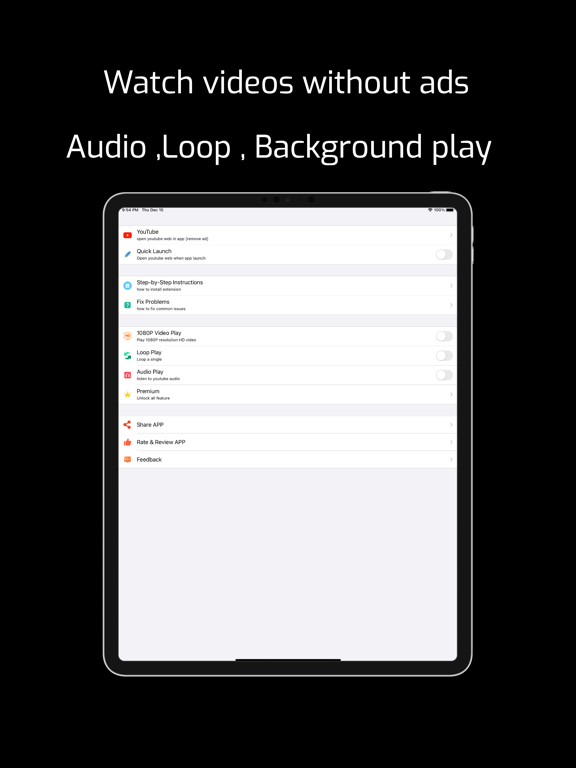
1. Support 1080p & audio play youtube videos
2. YouTube video picture in picture
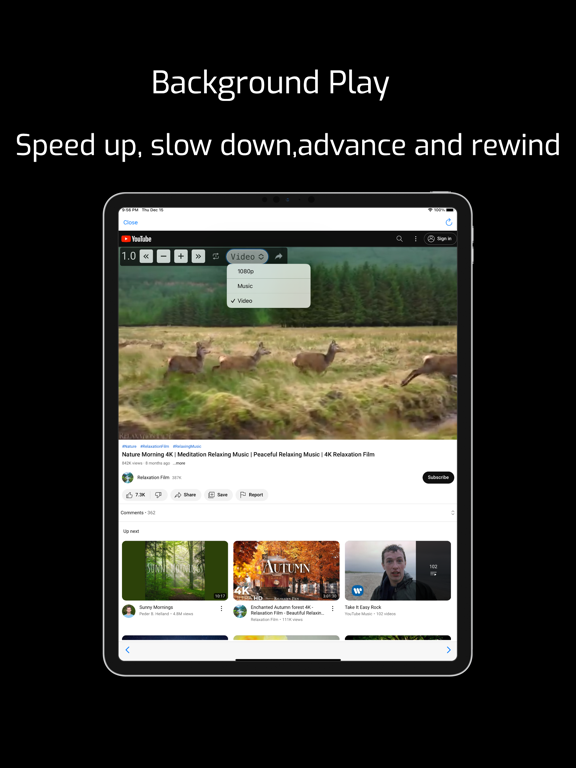
3. Support background continue play videos
4. Block all pre-roll YouTube™ video ads on all sites
5. Blocks banner/text ads throughout YouTube™
6. Ultra fast plus very lightweight, will not slow you down
7. Custome change video speed or Rewind & Advance
YouTube Ad blocking benefits
Improve browser speed
Improve page load speed
Decrease memory / CPU usage
Decrease bandwidth
Permissions & Privacy
Like all ad-blocking extensions we do need default permissions on every website to remove ads or popups for example on embedded Youtube videos.
Any video adblock detection happens on your computer and we do not see or track.
After installing, please reload all YouTube tabs for the extension to take effect.
-- HOW TO SETUP --
1. Please open the app and click the button on the welcome screen. This will take you to the Settings screen. Then tap Safari (for iPad, check left pane) > Extensions > Adblocker For YouTube, then tap the switch to turn it on.
2: On the same screen, tap All Websites > Allow to grant permission to run Adblocker For YouTube's extension on Safari on all websites. Now you're all set! You should see Adblocker For YouTube's overlay menu when you're watching a video on Safari.
Note: You can tap the "Manage Extensions" icon in your Safari address bar to access the Adblocker For YouTube settings.
Note: On iPhone, you can't access the overlay menu when your video is being played in full-screen mode.
Note: Safari may display a notice saying that the extension can read your sensitive information and browsing history. This is a general reminder that appears with every extension. Adblocker For YouTube will never read or collect any of your personal information such as passwords or credit card numbers. It's completely safe to use. You have my word!
The extension wil