Slideshow Photos - PixFolio

Slideshow Photos - PixFolio Summary
Slideshow Photos - PixFolio is a with in-app purchases iOS app in Photo And Video by Brian Wood. Released in Oct 2022 (3 years ago). It has 434 ratings with a 4.41★ (good) average. Based on AppGoblin estimates, it reaches roughly 388 monthly active users and generates around $<10K monthly revenue (100% IAP / 0% ads). Store metadata: updated May 20, 2026.
Recent activity: 1.00 new ratings this week View trends →
Store info: Last updated on App Store on May 20, 2026 .
4.41★
Ratings: 434
Screenshots




App Description
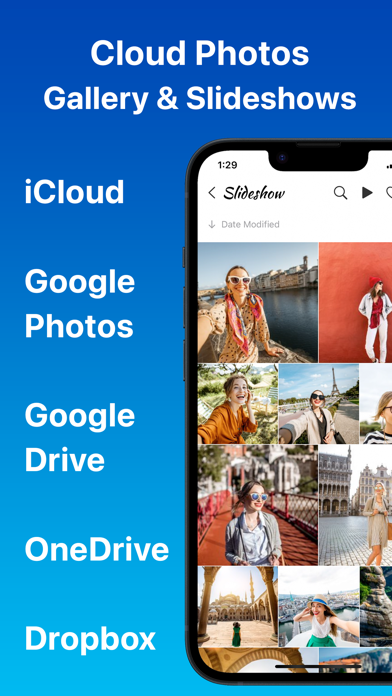
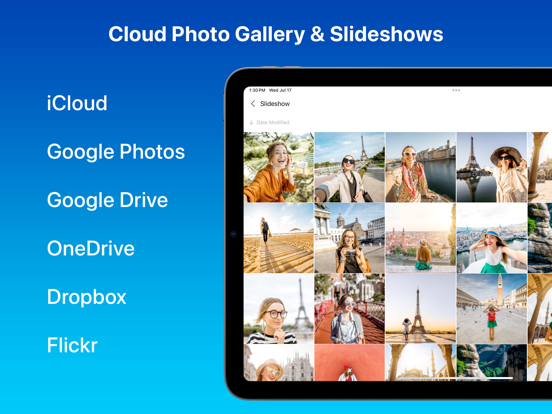
PixFolio is a photo gallery and slideshow app for iCloud, Google Photos, Google Drive, Microsoft OneDrive, Dropbox, and Flickr. Designed for iPhone, iPad, and Apple TV, PixFolio brings your cherished memories to life.
DYNAMIC SLIDESHOWS
Transform your device into an advanced digital picture frame. Enjoy auto-updating slideshows with custom animations, video playback, clock, weather, and photo info from your favorite cloud photo storage:
· iCloud
· Google Photos
· Google Drive
· Microsoft OneDrive
· Dropbox
· Flickr
Refine the slideshow so it is as beautiful as your memories:
· A dozen slide animations
· Play videos, muted or unmuted
· Auto update when new photos and videos are added
· Add clock, weather, and photo info
· Change font and size
· Shuffle (randomize) or play using the current sort
· Auto start slide show when app starts
· Slideshow a folder, an account, or all accounts
· Schedule times for the slideshow to sleep
DISPLAY
· Auto resize pictures to fill screen
· Showcase your images with blurred photo backgrounds
· Multiple thumbnail layouts (list, square, 4:3, collage, etc)
· Sort folders by photo info
LOCK PHOTOS & VIDEOS
Lock access to your photos and videos. Keep your photos hidden by locking down teh app with PIN and Touch ID. Protect your privacy and secure access to your cloud photos today.
CHROMECAST & APPLE TV
Cast photos and videos to Chromecast enabled devices or smart TVs. Install the app to your Apple TV to show photos on your big screen.
OFFLINE ACCESS
Save folders for offline access to enjoy your images anytime, anywhere, without network delays. Opt for thumbnails or offline video storage to optimize space.
MORE
· Share photos
· Set a starting folder for each account
· Download folders to camera roll
· Hide folders you don't want to see
· Enable passworded read only mode to prevent changes
· View photo and video info
· Enable maximum brightness
· Enable dark mode
· Filter pictures by favorites, name, or caption
CUSTOMER EXAMPLES
· Grandparents: Keep up with grandchildren with auto-updating slideshows in read-only mode from Google Photos.
· Businesses: Display marketing materials and menus, updating remotely from Microsoft OneDrive.
· Schools: Convert PowerPoints to images for auto-updating digital signage on an Apple TV using Google Drive.
· Memorial services: Create a moving slid