Memo Widget: Sticky Notes App

Memo Widget: Sticky Notes App Summary
Memo Widget: Sticky Notes App is a free, with in-app purchases iOS app in Productivity by 文婷 赖. Released in Jun 2022 (4 years ago). It has 47 ratings with a 4.58★ (excellent) average. Based on AppGoblin estimates, it reaches roughly 154 monthly active users and generates around $<10K monthly revenue (100% IAP / 0% ads). Store last updated Dec 22, 2022
Memo Widget: Sticky Notes App SDKs Summary
App not yet scanned for SDKs.
4.58★
Ratings: 47
Screenshots

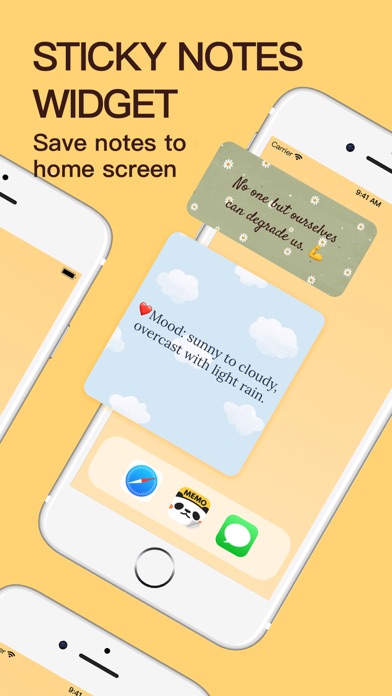


App Description
Memo Widget is a cute sticky notes app that focuses on memos and To-Do list to remind you of things.
You can quickly display your memos, schedule, reminders, checklist, plans, diary and more on your iPhone & iPad home screen by Memo Widget.
■ CREATE NOTES TYPE
Text Notes: Live view text editing effect, multiple font styles are available.
To-Do List Notes: Record daily tasks one by one, and easily check the lists.
■ MAKE CUTE NOTES
A variety of cute styles of note paper, use photos as the background to decorate the memos.
■ CUSTOMIZE MEMO WIDGET
Select three widget sizes arbitrarily, it can customize fonts, size, color, alignment and background.
■ COLORFUL THEME STYLE
Well-Designed multiple notes and checklist theme styles, simple and easy to use.
■ Auto Backup & Restore
Auto Backup and Restore your application data on iPhone & iPad device by iCloud.
Now you can use AirDrop to share backup files to the nearby iOS device.
■ NOTEPAD PREVIEW
Switch the list-view, gallery-view and full-view to show the memo in homepage.
Support the Dark Mode.
■ Q&A
# HOW TO ADD WIDGET?
1. Go to the iPhone & iPad home screen and long press the screen.
2. Tap the "+" button in the upper-left corner, and find the Memo Widget App.
3. Select a widget, choose from three widget sizes, then tap Add Widget.
# HOW TO SHOW MEMO NOTES?
1. Long press the memo widget on home screen, then tap Edit Widget.
2. Choose a memo notes to show you want.
Please share if you have any issues or suggestions! Email: memowidget@outlook.com
Privacy Policy: https://meetfire.wixsite.com/memowidget/privacy
Terms of Use: https://meetfire.wixsite.com/memowidget/terms
EULA: https://www.apple.com/legal/internet- servers/itunes/dev/stdeula/