Audio Editor: Video to Audio

Audio Editor: Video to Audio Summary
Audio Editor: Video to Audio is a free, with in-app purchases iOS app in Music And Audio by LINKIS LABS PTE. LTD.. Released in Jul 2022 (4 years ago). It has 41 ratings with a 4.61★ (excellent) average. Based on AppGoblin estimates, it reaches roughly 127 monthly active users and generates around $<10K monthly revenue (100% IAP / 0% ads). Store last updated Jul 17, 2026
SDK intelligence: AppGoblin detected 2 development tools(e.g. Alamofire) integrated into Audio Editor: Video to Audio. View full SDK list →
Audio Editor: Video to Audio SDKs Summary
Audio Editor: Video to Audio was last scanned for SDKs on 2026-07-03. Below is the overview of third-party companies detected in the app. The full list of SDKs, permissions and unknowns is available here.
 Alamofire
 SDWebImage
4.61★
Ratings: 41
Screenshots




App Description
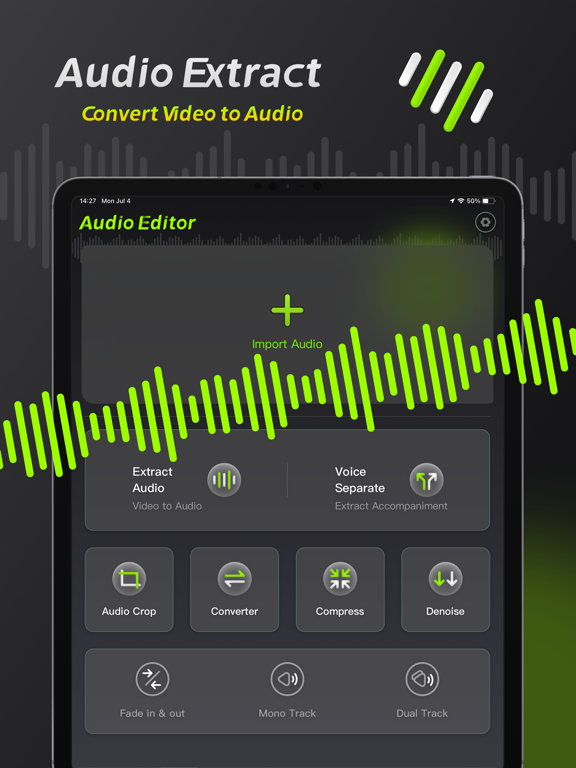
Audio Editing is an audio processing tool that can achieve audio noise reduction, audio cropping, and vocal separation, allowing you to easily perform professional audio processing on mobile phones and iPads.
【Audio Noise Reduction】
Reduce noise interference in the audio and restore clear audio with one click.
【Vocal Separation】
Supports the separation of vocals and accompaniment in the audio, lossless export.
【Audio extraction】
Convert video to audio, extract video sound with high precision.
【Format conversion】
●Support conversion of multiple audio formats, mp3, wav, flac, wma, ogg, aiff
●Support manual adjustment of bit rate and sampling rate
【Audio Compression】
Compress audio files with multiple options and one-click to free up phone memory.
【Audio clipping】
Manually adjust and trim the audio range, and support pinch-to-zoom time axis for precise and professional trimming.
Member subscription service:
1. Payment: Weekly subscription, monthly subscription, annual subscription, the user debits the payment through the iTunes account, and the user pays after confirming the purchase.
2. Renewal: The user's iTunes account will be charged within 24 hours before expiration, and the corresponding subscription cycle will be added.
3. Cancel the renewal: To cancel the renewal, enter the App Store" and click "App ID", enter the "Account Settings" page, click "Subscription", and choose to cancel the subscription.
4. Privacy Agreement: https://static.linkisai.com/html/privacy/10165191112815517292_ios_en.html?appName=Audio Editor
5. Terms of use: https://static.linkisai.com/html/useragreement/general_en.html