Sight Singing Pro - Solfege US
Sight Singing Pro - Solfege US Summary
Sight Singing Pro - Solfege US is a with in-app purchases iOS app in Education by Satoru Fukushima. Released in Jul 2022 (3 years ago). It has 161 ratings with a 4.80★ (excellent) average. Based on AppGoblin estimates, it reaches roughly 321 monthly active users and generates around $<10K monthly revenue (100% IAP / 0% ads). Store metadata: updated Mar 16, 2026.
Store info: Last updated on App Store on Mar 16, 2026 .
4.8★
Ratings: 161
Screenshots
App Description
Master sight singing with your personal vocal coach.
Sight Singing Pro is designed to help you master the art of reading music and singing on pitch. Whether you are a choir member, a music student, or a hobbyist, our app acts as a real-time tutor, listening to you sing and showing you exactly where you hit the right notes—and where you missed.
"Revolutionary app to fully utilize iPhone's recording/playing functionality to enable solfege training. With the function to visually show how much my own singing is off, I can practice while adjusting subtle sound differences by myself." -- a 5-star review at App Store
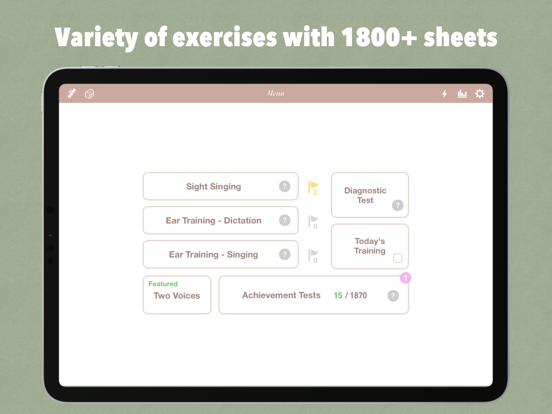
The app includes three dedicated training modes:
• Sight Singing
• Ear Training - Dictation
• Ear Training - Singing
【 Key Features 】
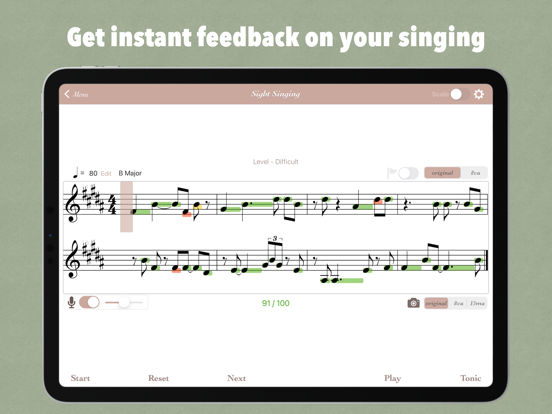
• Analyze the pitch you sing for each note and receive instant feedback on its accuracy.
• Record your song and play it back with the correct melody for comparison.
• View detailed performance reports in the Report section.
• Customize your training with the 'Drill' mode, where you can configure what kinds of notes will appear and transpose.
• Choose from a variety of clefs, including treble, bass, alto, and tenor.
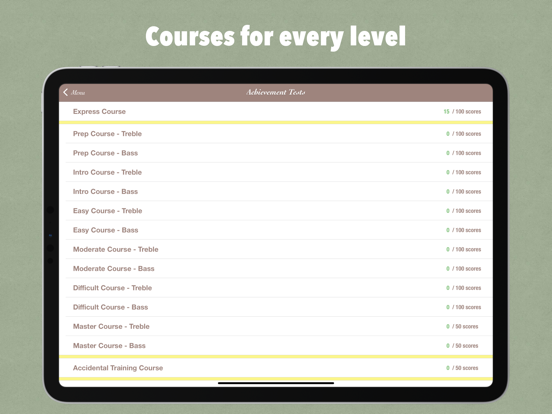
• Select your preferred level of score difficulty, from Intro I, Intro II, Easy, Moderate, and Difficult.
• Choose the type of notes, rests, time signatures, the number of bars, and the tempo.
• Explore advanced musical elements like ties, dotted notes, triplets, and leaps.
• Select a key from twelve major and twelve minor keys.
• Display syllables in fixed-do, moveable-do, or letter name.
• Practice scales.
• Store and review music sheets you've tried for future reference.
• Challenge yourself with Achievement Tests featuring over 1800+ highly selected musical sheets.
【 How to Use 】
1. Press 'Tonic' to check the tonic of the music score.
2. Scroll through the score to get an overview of the entire song.
3. Press 'Start' and sing along with the score.
4. A green bar will appear when your pitch is correct and a red one when it's off.
5. Use the 'Play' button to listen to the song in the correct pitch.
【 Subscriptions 】
• Payment will be charged to your Apple ID account at the confirmation of purchase.
• The subscription automatically renews unless it is canceled at least 24 hours before the end of the current period.
• Your account will be charged f