Image to Text, OCR Scanner

Image to Text, OCR Scanner Summary
Image to Text, OCR Scanner is a free iOS app in Tools by Ayoub El Omrani. Released in Jul 2022 (4 years ago). It has 9.00 ratings with a 2.64★ (poor) average. Based on AppGoblin estimates, it reaches roughly 19 monthly active users . Store last updated Jul 3, 2022
Recent activity: -1 new ratings this week View trends →
Image to Text, OCR Scanner SDKs Summary
App not yet scanned for SDKs.
2.64★
Ratings: 9.00
Screenshots

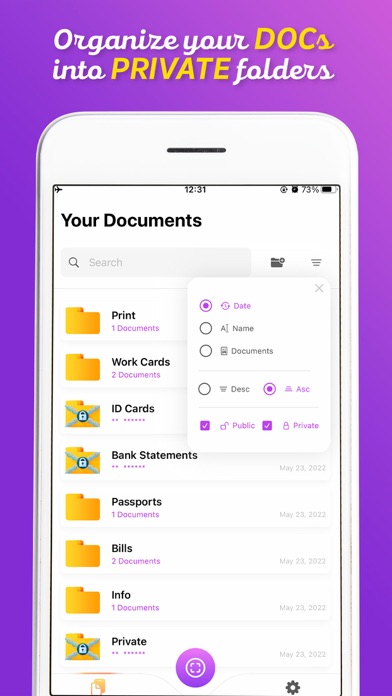


App Description
Looking for an Efficient Business Card Scanner and Document Scanner app?
OCR Scanner: QR, Barcode Reader is one of those fantastic and useful document scanner apps that lets you scan business cards and pdf documents anytime, anywhere
If you are looking for a QR, barcode, documents & business card scanner apps or pdf scanner apps for free, your search ends here with our amazing card scanner app. Scan and store all your files on the device. Also, scan images or other texts to convert them into pdf documents and share them instantly.
When you save your favorite quotation written in books or magazines, It is really hard to input the ‘quotation’ from your smartphone keyboard.
So Simple, Use the “OCR” Text Scanner app and convert image to text. Optical character reader app or optical character recognition software is basically used. For recognizing image text, handwritten or typed text format. image to text converter highly friendly user application.
it’s difficult to type again your handwritten work on any edit tool as-a-whole but optical character recognition, save your time for writing same things again and again. Optical character reader serves you in a many ways. You can make your things easy with it.
Time is so short and you have to write a lot of stuff and you are in a mess of draft papers and the great mess is that you have to shift your all work into any platform or any edit tools for publication or any other blogging sites for post.
you can convert your image into text format with the help of ocr scanner app. It is so time-taking to write mail or link from newspaper/magazines or business cards details on yours smartphones search engine. You will check spellings again and again so it is very trouble for you to do that. So ocr text scanner app is here to solve your problem within a second. Just open the app and scan your desire text or image. if you are out of internet and you have to scan any document urgently so don’t worry you can also use ocr text scanner offline.
*** Feature ***
* Portable Document Scanner - Have this document scanner in your phone, you can save your time by quickly scanning anything.
* Best Paper Scanner & Document Scanner - It has all of the features that a scanner should have.
* PDF Document Scanner - Scans PDF with edge detection feature additionally.
* Cam Scanner - Take a picture of the whiteboard and produc