Ringtone Maker: audio extract

Ringtone Maker: audio extract Summary
Ringtone Maker: audio extract is a ad-supported, with in-app purchases iOS app in Music And Audio by Parsottambhai Dhameliya. Released in Jul 2022 (3 years ago). It has 27 ratings with a 4.19★ (good) average. Based on AppGoblin estimates, it reaches roughly 65 monthly active users and generates around $<10K monthly revenue (22% IAP / 78% ads). Store metadata: updated May 27, 2026.
Store info: Last updated on App Store on May 27, 2026 .
4.19★
Ratings: 27
Screenshots

App Description
Ringtone Maker: audio extract may be a terribly powerful and complete audio editor and ringtone creator!.
Turn your favorite moments into custom ringtones with this powerful and easy-to-use ringtone maker app. Whether you're creating a tone from a video, trimming a song, or recording your own voice — everything you need is here in one sleek app!
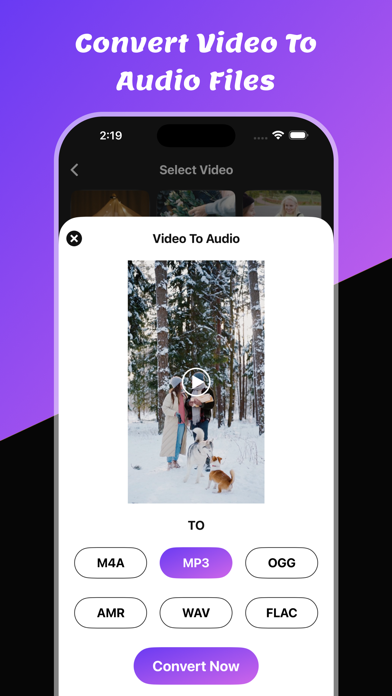
You can convert any video to audio using single selection.
You can trim any audio file using single selection.
It's a skilled sound editor that helps you simply make music, and has all the options you would like in an exceeding Ringtone Maker: audio extract, music maker, music cutter, audio trimmer, and more! you'll be able to edit any song or sound with tools., mp3 converter, music mixer.
Features:
1. Cutting the music on your phone and create a ringtone.
2. Record new audios and cut and create ringtones. You'll be able to even use it for the audio merger, audio recorder, audio reverser, audio mechanical device - the list of app options goes on!
3. Trim video to audio
4. Trim Audio file
5. Share trimmed files
Key Features:
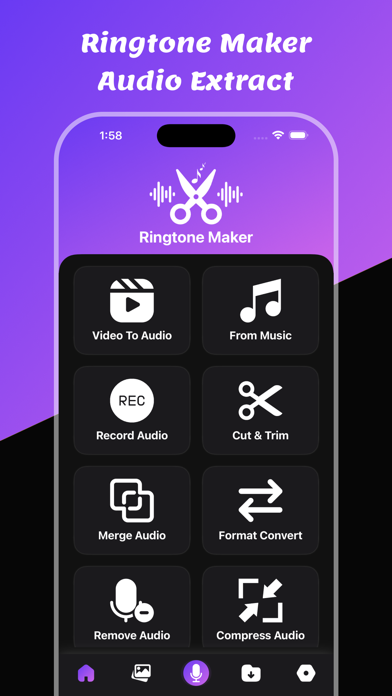
* Video to Audio : Extract audio from any video file and turn it into a ringtone or notification sound. Supports popular formats like MP4, MKV, MOV, and more.
* Voice Recorder : Record high-quality audio directly within the app. Perfect for personal voice ringtones, custom alerts, or audio notes.
* Cut & Trim Audio : Easily cut or trim any part of an audio file to select the exact section you want as your ringtone. Visual waveform display makes editing intuitive and precise.
* Merge Audio Files : Combine multiple audio clips into a single track. Great for mixing intros, songs, or sound effects into a unique ringtone.
* Audio Format Converter : Convert audio between formats like MP3, AAC, WAV, M4A, and OGG to ensure compatibility across all devices and platforms.
* Remove Sounds : Use smart noise reduction tools to remove background noise, silence, or unwanted sections from your audio clips.
* Compress Audio : Reduce file size while preserving quality. Save space on your device and make audio files easier to share.
* Adjust Volume : Increase or decrease the audio level to create balanced and clear ringtones, even for soft recordings.
* Wallpapers : Go beyond sound — generate beautiful, customizable live wallpapers that match your ringtone for a fully personalized phone experience.
Yo