Speedy - Smart Phone Cleaner

Speedy - Smart Phone Cleaner Summary
Speedy - Smart Phone Cleaner is a with in-app purchases iOS app in Tools by Adnova. Released in Aug 2022 (3 years ago). It has 13.6K ratings with a 4.39★ (good) average. Based on AppGoblin estimates, it reaches roughly 47.8K monthly active users and generates around $<10K monthly revenue (100% IAP / 0% ads). Store metadata: updated Jul 1, 2024, version 2.
Recent activity: 3.00 new ratings this week View trends →
Data tracking: SDKs and third-party integrations were last analyzed on Apr 25, 2026.
Store info: Last updated on App Store on Jul 1, 2024 (version 2).
SDKs, Trackers & Permissions
Speedy - Smart Phone Cleaner was last scanned for SDKs 2026-04-25. Below is the overview of third party companies detected in the app. The full list of raw SDKs, app permissions and unknown SDKs is available here.
AppGoblin saw Speedy - Smart Phone Cleaner uses 2 Analytics: Product
 Amplitude
 Firebase
AppGoblin saw Speedy - Smart Phone Cleaner uses 8 Ad Networks
 Unity
Unity ironSource
 Google
 One Signal
AppGoblin saw Speedy - Smart Phone Cleaner uses 4 Development Tools
 ReactiveX
 Airbnb Engineering
 nanopb
AppGoblin saw Speedy - Smart Phone Cleaner uses 1 Business Tools
 Adapty
AppGoblin saw Speedy - Smart Phone Cleaner uses 1 Analytics: Attribution
 Adjust
App Details
App Store
Ads & App-Ads.txt
AppGoblin SDK Scans
4.39★
Ratings: 13.6K
Screenshots
App Description
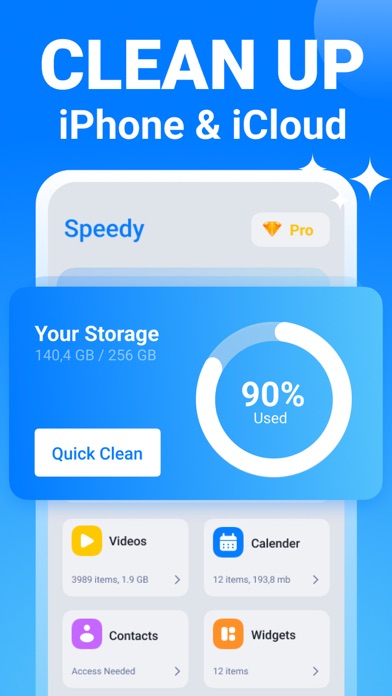
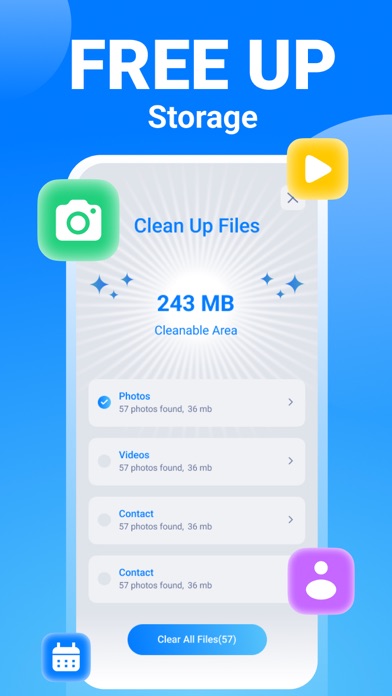
Organize your phone, clear unused data, and speed up your phone. Speedy gets these things done automatically. One tap is enough to boost your battery life! How many times do you take photos to find the best one, and how many of these are left in your gallery :) There will be just the best of them; Speedy will choose for you.
◆ Gallery ◆
- Find and delete similar photos and videos
- Clean duplicate photos
- Recognize and remove blurred images
- Group photos by location
◆ Calendar ◆
- List all events in your calendar
- Remove out-of-date events
◆ Contacts ◆
- Organize contact list
- List and delete uncompleted contacts
- Merge duplicated contacts
◆ Secret Space ◆
- Hide private photos
- Save private contacts
◆ Animation ◆
- Add different animations to your screen while your phone is charging
◆ Widgets ◆
- Manage your secret space from Home Screen
- Clean your device with one click
- Track your phone’s usage
Subscription Term :
• Subscriptions with a free trial period will automatically renew to a paid subscription.
• Payment will be charged to iTunes Account at confirmation of purchase
• Subscription options are: 1-week and 1-year with a 3-day trial
• Subscription automatically renews unless auto-renew is turned off at least 24 hours before the end of the current period
• Account will be charged for renewal within 24 hours prior to the end of the current period, and identify the cost of the renewal
• Subscriptions may be managed by the user, and auto-renewal may be turned off by going to the user's Account Settings after purchase
• You can cancel a free trial or subscription anytime by turning off auto-renewal through your iTunes account settings. This must be done 24 hours before the end of a free trial or subscription period to avoid being charged. The cancellation will take effect the day after the last day of the current subscription period, and you will be downgraded to the free service.
Privacy Policy : https://adnova.app/speedy/privacy-policy.html
Term of Use : https://adnova.app/speedy/terms-of-use.html