AI Painter: Empowered Artistry
AI Painter: Empowered Artistry Summary
AI Painter: Empowered Artistry is a ad-supported, with in-app purchases iOS app in Entertainment by Zeynep Aksu. Released in Aug 2022 (3 years ago). It has 74 ratings with a 4.09★ (good) average. Based on AppGoblin estimates, it reaches roughly 249 monthly active users and generates around $<10K monthly revenue (22% IAP / 78% ads). Store metadata: updated Feb 8, 2023.
Store info: Last updated on App Store on Feb 8, 2023 .
4.09★
Ratings: 74
Screenshots




App Description
"Empowered Artistry" refers to the idea of giving people the tools, resources, and support they need to express themselves creatively and make their artistic visions a reality. In the context of an AI Painter app, "Empowered Artistry" suggests that the app is designed to help users harness the power of artificial intelligence to enhance their artistic abilities and bring their imagination to life in new and exciting ways.
-- ChatGPT
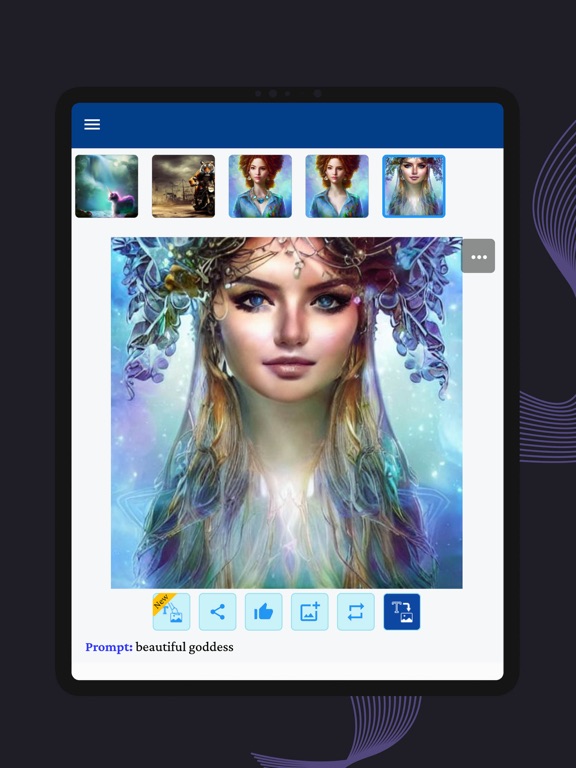
Unleash your creativity and explore new possibilities with the AI Painter App. Our advanced artificial intelligence art generator generates stunning images based on text prompts, giving you a unique image every time.
AI Painter’s awesome features include:
→ Text-to-Image: AI paints a new image only from a description from a random perspective.
→ Photoshop with Prompt: You can edit images using everyday language instructions and AI will follow them.
→ Import From Gallery: You can import images from the phone's gallery into the app carousel.
→ Edit Prompt: Let you update prompts while maintaining the same perspective.
→ InPaint: Repaint only selected regions of this image with a new perspective.
→ OutPaint: Extend the image canvas in any direction you like and paint the newly added area.
→ Use Sketch: Uses the image as a starting sketch.
→ Generate Again: Repaints using the same prompts from a new perspective.
→ Fix Faces: AI automatically retouches faces and improves their quality. You can apply this multiple times.
→ Double the Size: AI does increase the resolution twofold. Works best when a high-resolution image is desired for further use.
The app supports multiple aspect ratios including 16:9, 5:4, 1:1.
With AI Painter, you can turn everyday language instructions into stunning images, import images from your phone's gallery, update prompts while maintaining the same perspective, repaint only selected regions of an image, extend the image canvas in any direction, and use the image as a starting sketch. The app also has a feature called Fix Faces that automatically retouches faces and improves their quality, and Double the Size that increases the resolution twofold.
The AI Painter tries to avoid inappropriate images by reducing them to grayscale and basic drawings. Results that are not considered appropriate are replaced with a black image.
Please note that this app uses an AI model based on