Rewording Tool - AI Based

Rewording Tool - AI Based Summary
Rewording Tool - AI Based is a free iOS app in Tools by Abdul Rehman. Released in Oct 2022 (4 years ago). It has 3.00 ratings with a 3.67★ (average) average. Based on AppGoblin estimates, it reaches roughly 5.00 monthly active users . Store last updated Oct 21, 2026
Rewording Tool - AI Based SDKs Summary
App not yet scanned for SDKs.
3.67★
Ratings: 3.00
Screenshots


App Description
Use our Rewording tool to reword or rewrite your text, check grammar issues, and summarize long-form content. It is a helpful solution to improve your writing quality and workflow.
What is the Rewording Tool App?
Our Rewording Tool app is a simple-to-use app that can help you easily rewrite text and improve its quality. It uses advanced AI, LLM, and NLP algorithms to accurately rewrite every kind of text into unique and clear-to-read outputs. This rewording and rewriter app rewords content using different synonyms, words, and phrases without changing the original meaning.
This rewriter app is integrated with two other AI-writing tools i.e., Text Summarize and Grammar Checker.
Text Summarizer
The Text Summarizer tool is designed to help users automatically generate a summary of any type of content. You can use it to summarize essays, blogs, theses, articles, and more. The summary making app uses technology to extract the key points of the original text and generate a high-quality summary around them.
Grammar Check
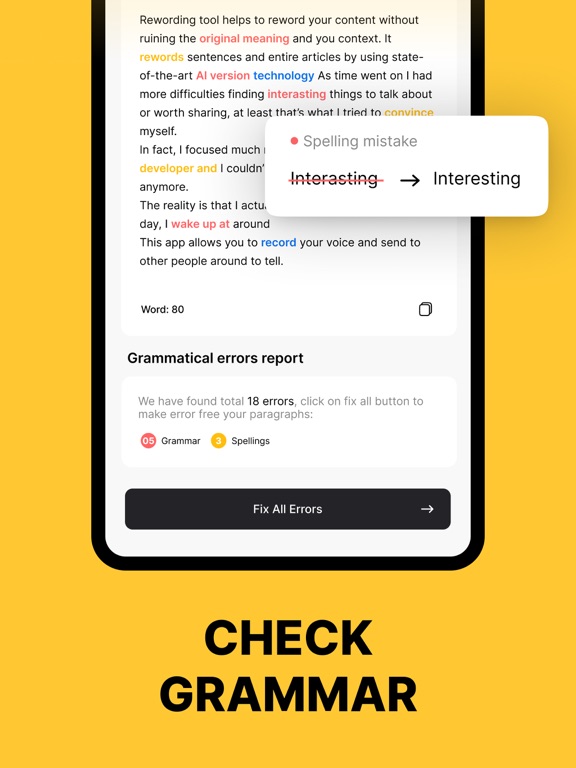
The Grammar Checker app tool is integrated to help users check and correct English grammar, spelling, and punctuation issues. When content is passed through the grammar check, it highlights all the spelling and grammar issues. After that, you can correct those issues with a single click.
How to Use the Rewording Tool?
To use the rewriter app, you need to follow these simple steps;
● Select one of our provided tool options i.e., Summarizer, Rewording, or Grammar Check.
● Enter your text in the input box by typing or copy-pasting.
● You can also upload a file from your system storage.
● Click on the “Reword”, “Summarize”, or “Check Grammar” buttons according to the tool you choose.
● Copy, Download, or “Share” the results.
Key Features of the Rewording Tool
Here are the prominent features of the Rewording Tool
- Accurate Working
The Rewording tool is equipped with sophisticated AI models to precisely rewrite, summarize, and grammar check any type of content.
- Fast Working:
One of the most beneficial features of this rewriter app is the super fast working mechanism. It barely takes a few seconds to correct spelling & grammar, rewrite content, and make a summary.
- Multiple Writing Tools
The Rewording tool offers multiple writing tools including Summarizer, Reworder, and Grammar Checker.
- Rewording Tones
The Rewording too