Unscreen • Control daily usage

Unscreen • Control daily usage Summary
Unscreen • Control daily usage is a free, with in-app purchases iOS app in Tools by Denk Alexandru. Released in Sep 2022 (4 years ago). It has 334 ratings with a 4.34★ (good) average. Based on AppGoblin estimates, it reaches roughly 946 monthly active users and generates around $<10K monthly revenue (100% IAP / 0% ads). Store last updated Aug 19, 2026
Recent activity: 2.00 new ratings this week View trends →
Unscreen • Control daily usage SDKs Summary
App not yet scanned for SDKs.
4.34★
Ratings: 334
Screenshots



App Description
• Lock addictive apps and websites, reduce screen time, create habits, and set boundaries •
• Cut scrolling by 2 hours daily. That's 30 days per year. 3 years in your lifetime •
Unscreen can help you or your family members break screen addiction and focus better by locking addictive apps and websites - scheduling and password protection are included.
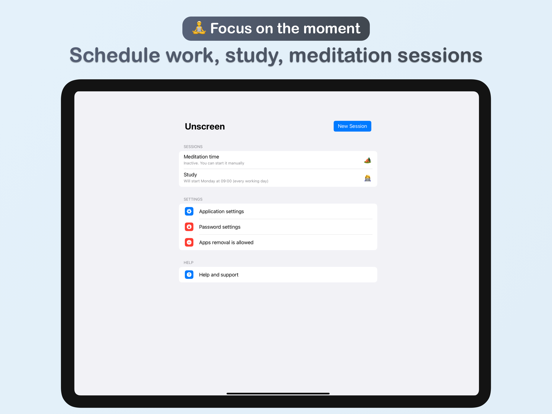
You can set recurring sessions or just quick timers, and you can create multiple profiles - leave your device down and disconnect during work or school hours, hangouts, or personal time.
USAGE EXAMPLES
• School time: configure a recurring session to lock all social apps and games from 8 AM to 1 PM every workday
• Dinner with friends: start a session now and lock work and productivity apps only for the next 3 hours
• Important meeting: lock messaging apps and notifications only tomorrow from 2 PM to 4 PM
MAIN PRODUCTIVITY AND HEALTH BENEFITS
• Disconnect, take a break: Overcome screen addiction. Lock or block addictive apps, block websites. Set screen time limits for yourself or family members
• Improve productivity and focus: Stay focused on important tasks. Eliminate distractions during study or work sessions, and reduce procrastination
• Boost wellness and personal growth: Improve your sleep quality, reduce stress and anxiety. Dedicate more time to what matters
FEATURES
• Lock or block addictive apps. Block websites across all browsers
• Secure and private. It can work as a parental control system
• Limit adult websites across all browsers
• Set recurring sessions or just quick sprints, create multiple profiles. For example, you can set a family time session every evening and focus only on that moment
• Protect sessions using a secret password and optionally Face ID or Touch ID. Keep preferences safe, including removal protection
• Password-protected apps will be visible and active on your device, but you cannot use the app until the session ends
• Easy to use, no configuration required
We read your support emails every day, day by day.
Write with confidence any question, feedback, or complaint, and you will receive an answer in a very short period of time.
We offer two auto-renewing subscriptions and a one-time payment option:
• Basic, a 1 Month subscription
• Premium, a 12-month subscription
• Lifetime access: one-time payment only
Prices may vary by location.
S