LockSwitch: Custom Widgets

LockSwitch: Custom Widgets Summary
LockSwitch: Custom Widgets is a free, with in-app purchases iOS app in Productivity by MasterMind Software LLC. Released in Sep 2022 (4 years ago). It has 12 ratings with a 4.75★ (excellent) average. Based on AppGoblin estimates, it reaches roughly 33 monthly active users and generates around $<10K monthly revenue (100% IAP / 0% ads). Store last updated Sep 17, 2024
LockSwitch: Custom Widgets SDKs Summary
App not yet scanned for SDKs.
4.75★
Ratings: 12
Screenshots


App Description
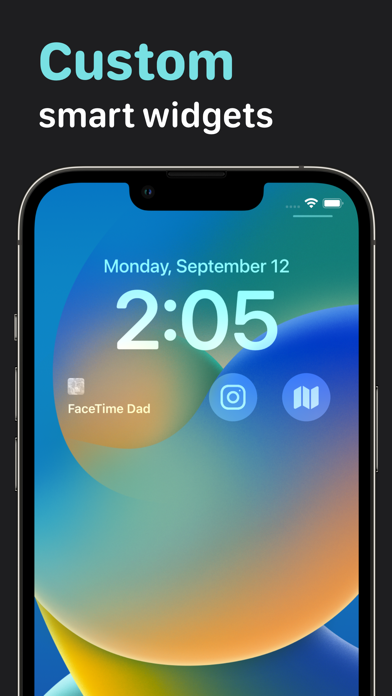
LockSwitch is a must-have for anyone wanting more control over their lock screen. Easily make custom widgets that trigger actions on your device when you tap them. Access the library of widget actions for system and third-party apps, or you create your own.
——— Features ———
- Create custom lock screen widgets for app automation.
- Access a wide array of actions for system and third-party apps, or create your own.
- Personalize your widgets with over 3,500 icons to choose from or choose a custom photo.
- Widgets automatically sync across all of your devices with iCloud.
- App themes and alternate app icons.
——— Support ———
If you enjoy using the app, please leave an excellent review and consider purchasing LockSwitch Pro, which will support me (Matt) as I'm the only person building this app. Please contact me on the support screen via the app settings tab if you have any issues, feedback, or feature requests.
——— Subscriptions ———
If you purchase a LockSwitch Pro subscription, payment will be charged to your iTunes account. Your account will automatically be charged for renewal 24 hours before the end of the current subscription period unless you disable auto-renew. You can turn off auto-renewal at any time by going to your Account Settings on the App Store after purchase.
Privacy Policy: https://mdssoftware.co/privacypolicy
Terms of Use: https://mdssoftware.co/termsofuse