Transparent Photo Background

Transparent Photo Background Summary
Transparent Photo Background is a ad-supported iOS app in Photo And Video by Cao Hoang. Released in Dec 2022 (3 years ago). It has 1.00 ratings with a 1.00★ (poor) average. Based on AppGoblin estimates, it reaches roughly 1.00 monthly active users and generates around $<10K monthly revenue (0% IAP / 100% ads). Store last updated Mar 21, 2023
Transparent Photo Background SDKs Summary
App not yet scanned for SDKs.
1★
Ratings: 1.00
Screenshots

App Description
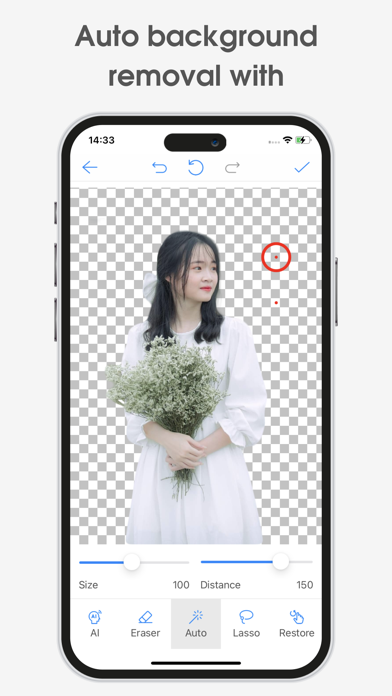
This app helps you remove background and make a transparent PNG stamp in high quality.
Want to change background for your photo? Try this transparent photo background maker to remove background from photos at first then you can change the background you like for it.
The brush's resizing feature, combined with image enlargement, allows you to precisely manipulate the perfect photos.
With this app, you can: remove the image background, make a transparent image in PNG format, merge two images into one, create sticker, create meme, etc.
Main features:
- Erase background and create transparent PNG image with high quality.
- Remove background automatically by artificial intelligence (AI).
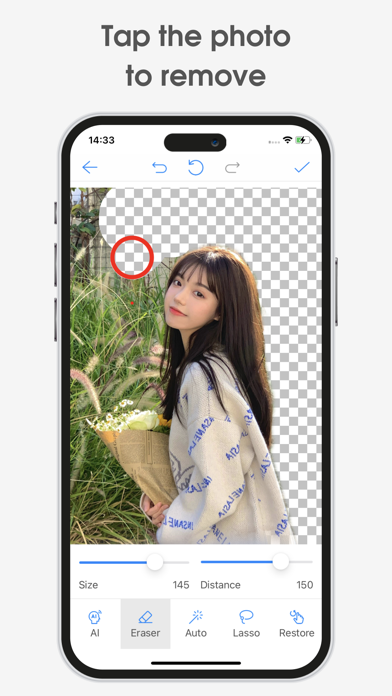
- Remove background manually by touching the screen.
- Select an image area and erase the surrounding background.
- Customize the size of the part of the picture you want to erase.
- Recover parts of the image that you do not want to erase.
- Zoom in the photo for precise photo editing.
- Insert a transparent image on another image.
- Save images with high resolution to phone gallery.
- Manage created images, share images.
- Very simple and easy to use for everyone.
Do you like this app? Please leave your reviews and suggestions, it will help us to improve this app in the next versions! Thank you!