Daily Schedule -easy timetable

Daily Schedule -easy timetable Summary
Daily Schedule -easy timetable is a free, ad-supported, with in-app purchases iOS app in Productivity by CHANSOOK PARK. Released in Jan 2023 (3 years ago). It has 4.00 ratings with a 4.50★ (excellent) average. Based on AppGoblin estimates, it reaches roughly 11 monthly active users and generates around $<10K monthly revenue (22% IAP / 78% ads). Store last updated Jun 21, 2026
Daily Schedule -easy timetable SDKs Summary
App not yet scanned for SDKs.
4.5★
Ratings: 4.00
Screenshots
App Description
Why to use this App
◦ Timetable Scheduler allows users to easily manage schedule management, timetable management, schedule management and more!
◦ Schedule your time in 5 minute, 10 minutes, 15 minutes, 30 minutes or 1 hour.
◦ Set up your study schedule according to your requirements.
◦ Daily Schedule - Easy Timetable is best for students as they can schedule their study by subject or by class.
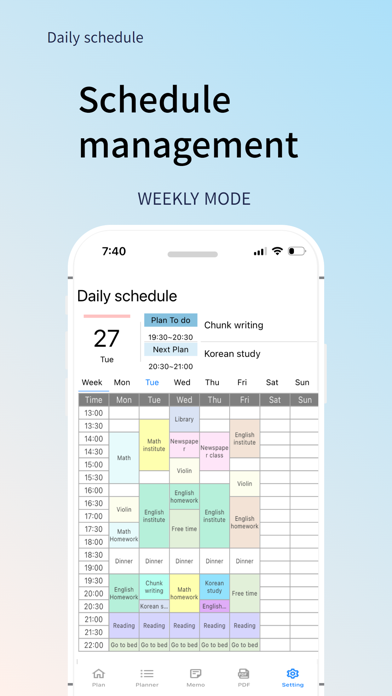
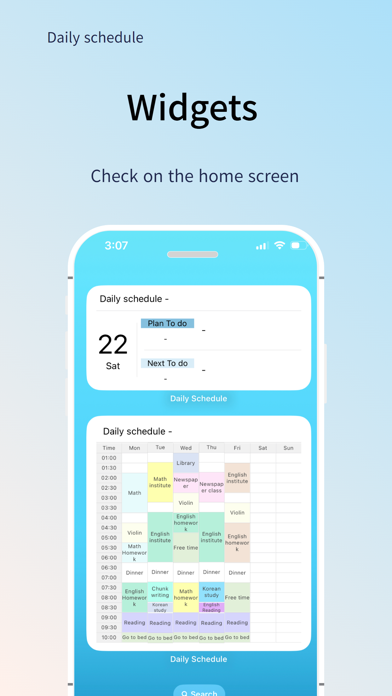
◦ Get daily/weekly schedules right through the widget for your schedule, timetable and much more
◦ Conveniently manage multiple schedules!
◦ Feel free to change the app settings as you like.
◦ Simply register for classes and choose the color you want!
◦ Daily and weekly timetables can be easily modified and deleted anywhere with one click!
◦ Time table app with the simplest scheduler, such as time selection
◦ Faculty can set up college timetables, class timetables, and even personal schedule management!
◦ Time table app for easy entry of recurring schedules
◦ Time table app for PDF conversions
→ Printed Time table App
→ Library, reading room, children's time table, private institutes, small club, etc.
◦ Schedule time accurately by setting the notification
◦ Select only the days of the week, and the order of the display will be as desired.
◦ Check the completed schedule with a check box
◦ Create a memo to manage important tasks separately
[Key Functions]
1. Creating a timetable for study, train timetable, bus timetable
- Create 'multiple' timetable as required
- Select 1 hour/30 minutes/15 minutes/10 minutes/5 minutes time units
- Can be created by copying a timetable that has already been created
- Select the display time from 0:00 to 12:00 the next day.
※ Click the name of the timetable to change it.
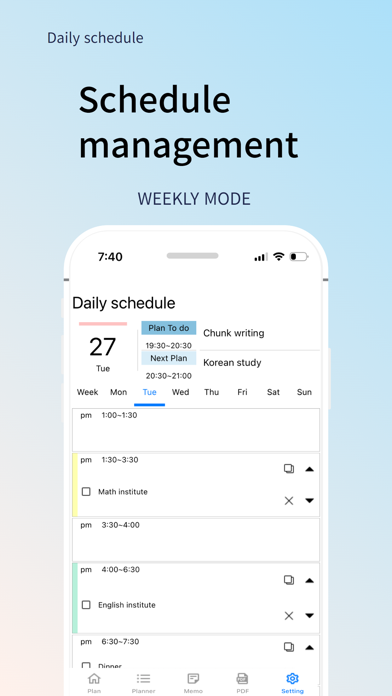
2. Create a daily plan for your schedule
- Set plans, colors, notes, notifications on the 'Select Time First' pop-up screen
- Press the ↓ button to extend the plan to the time below
- Press the ↑ button to extend the plan to the above time
- Delete the plan by pressing the X button
- Undo and Redo possible
- Check the completed schedule with a check box
3. Copying Plans
- Copy button to copy the plan to another day of the week, another time
- Full daily/weekly copy is also possible
4. Notification Functions
5. Memo function
- Manage important tasks separately by memo.
6. Weekly Timetable