Screens 5: VNC Remote Desktop

Screens 5: VNC Remote Desktop Summary
Screens 5: VNC Remote Desktop is a free, with in-app purchases iOS app in Tools by Edovia Inc.. Released in Dec 2023 (2 years ago). It has 1K ratings with a 4.22★ (good) average. Based on AppGoblin estimates, it reaches roughly 3.1K monthly active users and generates around $<10K monthly revenue (100% IAP / 0% ads). Store last updated Oct 11, 2026
Recent activity: 6.00 new ratings this week View trends →
SDK intelligence: AppGoblin detected 3 development tools(e.g. Google),and 1 analytics: product integrated into Screens 5: VNC Remote Desktop. View full SDK list →
Screens 5: VNC Remote Desktop SDKs Summary
Screens 5: VNC Remote Desktop was last scanned for SDKs on 2026-08-25. Below is the overview of third-party companies detected in the app. The full list of SDKs, permissions and unknowns is available here.
 Google
 Sentry.io
 OpenID
 Firebase
4.22★
Ratings: 1K
Screenshots


App Description
Access your computers from anywhere.
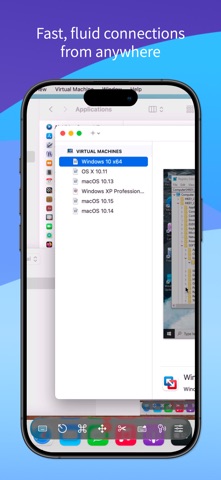
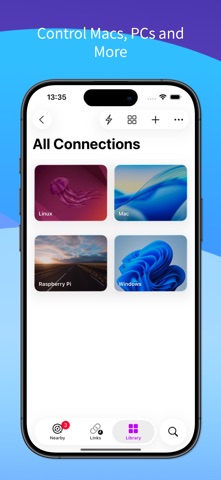
Screens lets you remotely access your Mac, Windows PC, Linux PC, or Raspberry Pi from your iPhone, iPad, Mac, or Vision Pro. Whether you’re connecting to a remote workstation, a headless Mac mini, or helping friends and family, Screens delivers fast, secure, and reliable remote desktop access wherever you are.
REMOTE ACCESS FROM ANYWHERE
Remote access is built right into Screens on Mac. For older Macs and Windows PCs, install Screens Connect to easily set up remote access over the internet. Need to connect to Linux or Raspberry Pi? Screens also integrates with Tailscale for secure, hassle-free connections.
FAST, SECURE REMOTE DESKTOP ACCESS
Screens is optimized for responsive remote control with support for:
• Curtain Mode for private remote sessions on Mac
• SSH connections and SSH keys
• Secure password storage and quick logins
• Observe or control remote computers
• Adaptive and Full display quality
BUILT FOR MODERN REMOTE WORKFLOWS
Use Screens to:
• Access remote Macs, PCs, Linux systems, and Raspberry Pi devices
• Connect to headless Mac mini setups and remote workstations
• Monitor long-running tasks from anywhere
• Help friends, family, or coworkers remotely
• Access your computers while traveling or away from home
DO MORE WITH SCREENS
Take advantage of powerful system features across iPhone and iPad:
• Connect using Siri, Shortcuts, and Spotlight
• Quickly connect to saved computers from widgets
• Use external keyboards, mice, and trackpads
• Use Apple Pencil on iPad
• Display your remote computer on an external display with AirPlay
POWERFUL FEATURES
• Multi-display support
• Clipboard sharing
• File transfer between iPhone, iPad, or Vision Pro and Mac
• Customizable connection settings for individual computers
• Dictation support for remote text input
• Session selection on Mac
• iCloud synchronization
• Full URL Schemes support
• Touch ID, Face ID, Apple Watch, and password protection
COMPATIBILITY
• Connect from iPhone, iPad, Mac, and Vision Pro
• Connect to Mac, Windows PC, Linux PC, and Raspberry Pi
• Screens Connect is built into Screens for Mac on macOS 14.6 or later
• Standalone Screens Connect is available for Macs running macOS 10.13 or later and PCs running Windows 10 or later
• Clipboard sharing on Windows and Linux supports text