Tab Display-Expand Your Tablet

Tab Display-Expand Your Tablet Summary
Tab Display-Expand Your Tablet is a free, ad-supported, with in-app purchases iOS app in Productivity by Jaeil Roh. Released in Jan 2024 (2 years ago). It has 26 ratings with a 4.12★ (good) average. Based on AppGoblin estimates, it reaches roughly 82 monthly active users and generates around $<10K monthly revenue (22% IAP / 78% ads). Store last updated Aug 11, 2026
Tab Display-Expand Your Tablet SDKs Summary
App not yet scanned for SDKs.
4.12★
Ratings: 26
Screenshots


App Description
Please download the macOS or Windows application from the official website -- https://tab-display.enfpdev.com --
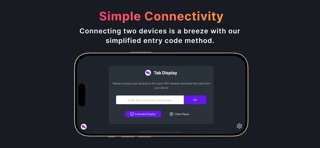
Tab Display allows users to seamlessly transform their iPhone or iPad into an external display for their MacBook or Windows desktop or laptop. With this app, users can extend their screen and receive video of the virtual display on their iOS device. It supports both wireless connections using Wi-Fi and wired connections through USB tethering (Note: Devices that do not support USB tethering (Wi-Fi only devices) cannot use the wired connection feature)
Tab Display is free to download and use. However, an in-app purchase is available to remove advertisements.
Tab Display supports both portrait mode and landscape mode, giving users the flexibility to choose the orientation that best suits their needs. It also allows for customizable resolution settings, enabling users to adjust the display resolution freely for the optimal experience.
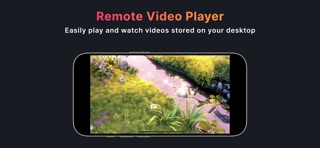
Additionally, Tab Display offers a remote video playback feature. By placing videos in a designated folder on your desktop, you can freely enjoy watching them on your iPhone or iPad.
Tab Display is designed to make the process of extending your MacBook screen as simple and seamless as possible. The app uses WebRTC technology internally to ensure that the video is streamed smoothly and without any lag. This means that users can enjoy a high-quality display experience without any interruptions or delays.
Check out the tutorial on how to use the Tab Display feature by watching the video at https://www.youtube.com/watch?v=qtSTy58u57E
Similar apps: Duet Display, spacedesk, superdisplay, TwomonSE.