Audio Visualize

Audio Visualize Summary
Audio Visualize is a free, ad-supported, with in-app purchases iOS app in Music And Audio by 博 彭. Released in Dec 2023 (2 years ago). It has 29 ratings with a 4.05★ (good) average. Based on AppGoblin estimates, it reaches roughly 171 monthly active users and generates around $<10K monthly revenue (58% IAP / 42% ads). Store last updated Oct 17, 2026
Recent activity: 2.00 new ratings this week View trends →
Audio Visualize SDKs Summary
Audio Visualize was last scanned for SDKs on 2026-09-27. No known SDKs were detected. Check the raw list of SDK parts detected here and feel free to request unknown SDKs be added to AppGoblin.
4.05★
Ratings: 29
Screenshots
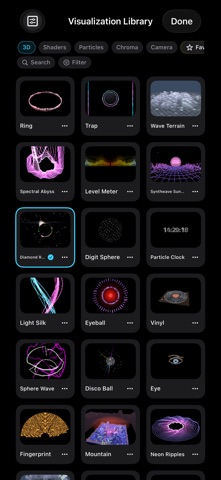
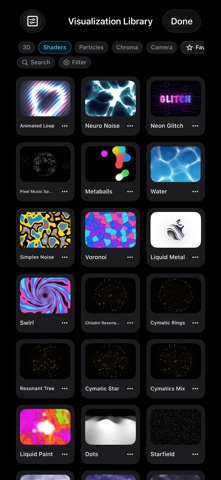
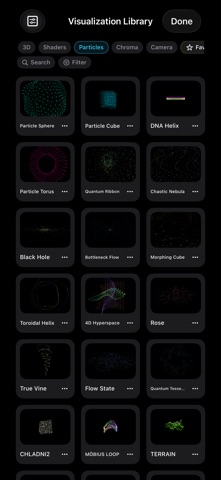


App Description
Turn music into light that breathes.
Audio Visualize brings immersive listening, moving visuals and music video creation together. From rolling musical landscapes and flowing ink to particles and vinyl turntables, find a new setting for your favorite music. Bring lyrics and album art into the scene, enjoy the moment and make the look your own.
HEAR MUSIC, SEE LIGHT
Explore 3D scenes, colorful light and particle effects. Travel through star fields and tunnels, watch audio rings rise and fall, and find a scene for gentle melodies or driving beats. Enjoy expansive landscapes in horizontal view or immerse yourself in portrait.
A NEW WAY TO ENJOY YOUR SONGS
Switch to a vinyl player with a turntable, tonearm and lyrics. Turn album art into particles or add depth with 3D lyrics. Browse songs, albums, artists and playlists, and manage your queue to keep listening flowing.
YOUR MUSIC, DIFFERENT SCENES
Import local audio without digital copy protection, play built-in tracks, or browse Apple Music and listen to available previews. Eligible Apple Music subscribers can play full songs. Use the microphone to let music from speakers and sounds around you animate the visuals.
MAKE THE LOOK YOUR OWN
Choose colors and adjust sensitivity, speed, glow and particles. Change the viewpoint, rotate and zoom in supported effects. Settings are remembered separately for each effect, ready for your next listening session.
RECORD THE LIGHT AS A VIDEO
Record and preview your visualizations. Upgrade to Pro to save and share them, giving your music a visual work of its own. Capture a melody or experiment with scenes and colors, moving naturally from listening to creating.
LISTEN AT YOUR OWN PACE
Enjoy playback history, repeat, shuffle, a sleep timer and visual effects linked to playlists. From choosing a song to setting your phone down to listen, enjoy music your way.
USE AND PURCHASE INFORMATION
• Some effects and advanced features require Pro, available through a subscription or lifetime purchase. Saving and sharing videos require Pro.
• Full Apple Music playback requires the appropriate subscription and authorization. Music and preview availability vary by region and track.
• Full Apple Music songs are digitally protected and cannot be recorded directly into videos. Their visuals can use microphone input or pre-analyzed rhythms. To record sound, use local audio, available