SimpleMind - Mind Mapping

SimpleMind - Mind Mapping Summary
SimpleMind - Mind Mapping is a free, with in-app purchases iOS app in Productivity by xpt Software & Consulting B.V.. Released in Feb 2009 (17 years ago). It has 8.9K ratings with a 4.34★ (good) average. Based on AppGoblin estimates, it reaches roughly 23K monthly active users and generates around $<10K monthly revenue (100% IAP / 0% ads). Store last updated Sep 21, 2026
SimpleMind - Mind Mapping SDKs Summary
SimpleMind - Mind Mapping was last scanned for SDKs on 2026-09-24. No known SDKs were detected. Check the raw list of SDK parts detected here and feel free to request unknown SDKs be added to AppGoblin.
4.34★
Ratings: 8.9K
Screenshots




App Description
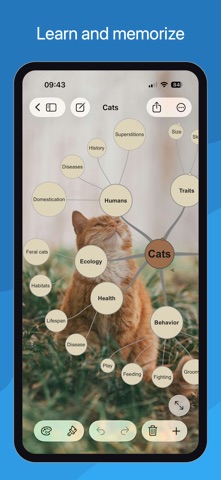
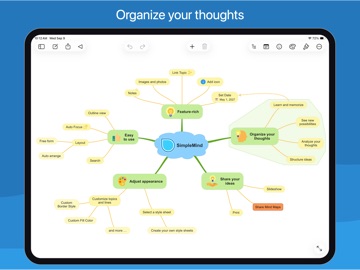
Mind mapping helps you organize your thoughts, remember information and generate new ideas. We've created a beautiful, intuitive app, so you can mind map wherever you are and whenever you want.
Free Functionality
• Everything you need to get started with mind mapping.
• No ads.
• No data collection.
• No need to sign up for an account.
• Upgrade to full functionality is a one-time single purchase.
Highlights
• Easy to use.
• Continuously fine-tuned based on customer feedback.
• Trustworthy and reliable: 15+ years of updates and improvements.
• Used in a wide range of applications: business, education, legal and medical.
• Tools to help you maintain overview.
Create
○ place topics anywhere you want in the free-form layout
○ or use auto layout - great for brainstorming
○ reorganize and restructure using drag, rotate, re-arrange or reconnect
○ use checkboxes, progress bars, auto-numbering
○ connect any two topics with a crosslink
○ label relations
○ virtually unlimited page size and number of elements
○ supports multiple Mind Maps on one page
Add media and documents
○ images and photos
○ notes
○ icons (stock, emojis or custom)
○ link to a topic, mind map, contact, file or webpage
○ voice memos
○ videos
Seamless synchronization using clouds
○ sync mind maps with your iPads and iPhones
○ sync mind maps across platforms. For example with Mac - as a separate purchase
○ sync using iCloud, Dropbox, OneDrive, 坚果云 - Nutstore and Nextcloud
Share your Mind Map
○ for example as PDF or Image
○ outline, can be imported in word processors
○ create a slideshow to present your Mind Map (Tablet only)
○ print
○ export to Reminders or Calendar
Style your mind map
○ change the appearance by selecting one of the 15+ style sheets
○ create your own style sheets
○ style every detail, exactly how you want it
○ change borders, lines, colors, background color, the checkbox color, and much more
Maintain overview
○ collapse and expand branches
○ hide or show branches or topics
○ block out distractions with autofocus
○ highlight branches by displaying branch borders
○ visually group topics with group borders
○ organize your Mind Maps in folders
○ outline view
○ search