RoboForm Password Manager

RoboForm Password Manager Summary
RoboForm Password Manager is a free, with in-app purchases iOS app in Productivity by Siber Systems, Inc.. Released in Oct 2009 (16 years ago). It has 70K ratings with a 4.72★ (excellent) average. Based on AppGoblin estimates, it reaches roughly 194K monthly active users and generates around $<10K monthly revenue (100% IAP / 0% ads). Store last updated Aug 18, 2026
Recent activity: 116 new ratings this week View trends →
SDK intelligence: AppGoblin detected 3 development tools(e.g. Google), 1 analytics: product,and 1 ad networks integrated into RoboForm Password Manager. View full SDK list →
RoboForm Password Manager SDKs Summary
RoboForm Password Manager was last scanned for SDKs on 2026-08-11. Below is the overview of third-party companies detected in the app. The full list of SDKs, permissions and unknowns is available here.
 Google
 nanopb
 Reachability
 Firebase
 Snap
Snap4.72★
Ratings: 70K
Screenshots

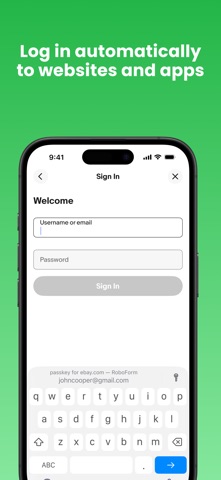


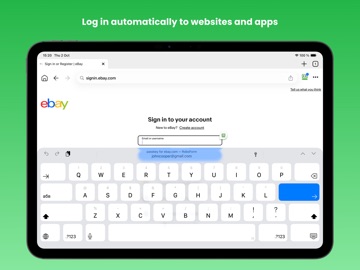

App Description
Award winning password manager and form filler. Access your passwords on all your devices. Secure one tap logins for websites and apps. Reduce your passwords to a single Master Password that only you know.
PASSWORD MANAGER
◆ The embedded RoboForm browser logs in to websites with one tap and offers to AutoSave new passwords.
◆ AutoFill in apps and sites visited using Safari or other browsers.
◆ Keep all your passwords in one secure location.
◆ Arrange your go-to passwords in any order you wish using Pinned view.
◆ Stay organized with folders.
◆ RoboForm's password generator creates unique and hard to guess passwords for each site.
◆ Support for multi-step logins.
◆ Security Center finds your weak, re-used, or duplicate passwords.
ULTIMATE CONVENIENCE
◆ Your passwords are always with you. Add, view, and edit your Logins, Identities, and Safenotes from any device.
◆ Keep your passwords in sync across all devices and computers. (Premium feature).
◆ Import easily from all major password managers and browsers using the Windows or Mac client. CSV import and export available.
◆ Securely share and sync changes to individual items (Premium feature).
◆ Appoint a trusted contact to access your data in case of Emergency (Premium feature).
◆ Purchase a Family plan and get up to 5 Premium accounts for one low price.
NOT JUST FOR PASSWORDS
◆ Securely store and edit credit cards, bank accounts, or any other personal information.
◆ Fill long checkout forms with one tap.
◆ Store license keys, wi-fi passwords, or any other important information using Safenotes.
◆ Sync Bookmarks for your favorite websites.
◆ Store contact information for your friends and colleagues.
SECURITY
◆ Your data is protected with AES 256 encryption.
◆ You are the only one who knows your Master Password. We don’t save or store that information anywhere, giving you complete protection.
◆ Two factor authentication (2FA).
◆ App locks after inactivity. Only you can access your data even if your device is misplaced.
◆ Unlock using Touch ID, Face ID, or PIN.
RELIABILITY
◆ We’ve been mastering password management for 20+ years.
◆ Expert reviews include the Wall Street Journal, New York Times, ZDNet, Bloomberg, Financial Times, NBC TV, ABC News and more.
◆ 24/7/365 email support.
◆ Live chat support available during US business hours.
◆ Loved and