Notability: AI Notes & Planner

Notability: AI Notes & Planner Summary
Notability: AI Notes & Planner is a free, with in-app purchases iOS app in Productivity by Ginger Labs. Released in Apr 2010 (16 years ago). It has 1.7M ratings with a 4.54★ (excellent) average. Based on AppGoblin estimates, it reaches roughly 4.2M monthly active users and generates around $100K+ monthly revenue (100% IAP / 0% ads). Store last updated Sep 28, 2026
Recent activity: 1K new ratings this week View trends →
SDK intelligence: AppGoblin detected 6 development tools(e.g. Google), 2 analytics: product, 1 ad networks, 1 analytics: attribution,and 1 business tools integrated into Notability: AI Notes & Planner. View full SDK list →
Notability: AI Notes & Planner SDKs Summary
Notability: AI Notes & Planner was last scanned for SDKs on 2026-10-01. Below is the overview of third-party companies detected in the app. The full list of SDKs, permissions and unknowns is available here.
 Google
 Rive
Rive nanopb
 Starscream
 Singular
 Firebase
 Mixpanel
 Apryse
4.54★
Ratings: 1.7M
Screenshots



App Description
From your first lecture to your next big meeting, Notability helps you think, learn, and work better. Take handwritten notes, annotate documents, record audio, and stay organized in one place so your ideas are always clear, searchable, and ready when you need them.
NEW: NOTABILITY CLASSIC IS BACK
Prefer to pay one time for Notability? Our Classic plan is a one-time purchase with no subscription required.
FREE DIGITAL NOTES FOR WORK & SCHOOL
• Write, type, or sketch with digital ink, highlighters, and text tools.
• Mark up anything: PDFs, textbooks, lecture slides, images, and more.
• Combine handwriting, typed text, images, diagrams, and sketches on the same page.
• Stay organized with customizable folders and subjects that grow with you.
FOR PROFESSIONALS: WORK SMARTER AND SAVE TIME
• Mark up documents, capture meetings, organize ideas, and present with confidence.
• Import and handwrite on any document: PDFs, DOCs, presentations, reports, and more.
• Fill out forms in the office or on a job site.
• Combine handwriting, text, photos and documents in one place.
• Record calls and meetings to transcribe voice in real-time. Audio is synced to your notes so nothing is missed.
• Receive automated meeting notes, takeaways, and summaries.
• Search handwriting, transcripts, text, and PDFs to quickly revisit decisions and action items.
• Present notes, documents, and ideas in full screen, with a laser pointer to guide attention.
• View and edit two notes side-by-side to stay focused and productive.
• Share a PDF of your note in one tap.
FOR STUDENTS: STUDY SMARTER AND ACE EXAMS
• Take handwritten notes digitally or annotate lecture slides or your textbooks.
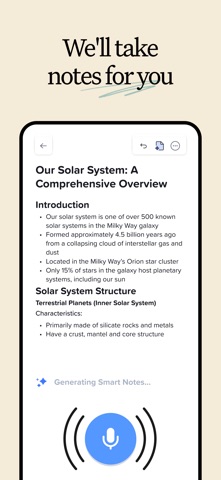
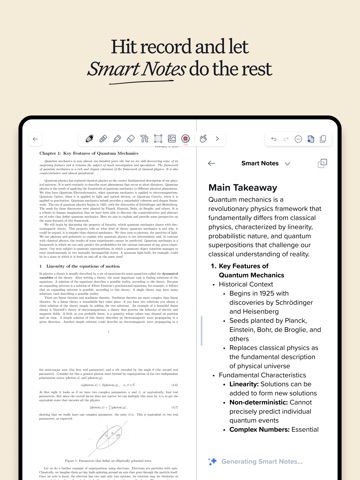
• Record lectures and get instant audio transcripts and real-time summaries in your notes.
• Audio recordings are synced to the exact moment you write in a note — perfect for lectures.
• Import lecture slides, textbook PDFs, and assignments into organized folders and subjects.
• Search across handwriting, typed notes, and transcripts to instantly find content from classes.
• Study content from your note with personalized quizzes and flashcards to practice with active recall.
• Chat with your notes to review concepts, clarify ideas, and prepare for exams.
WORK YOUR WAY
• Seamlessly switch between handwriting and typing.
• Import files instantly and keep everyth