Wikipanion for iPad

Wikipanion for iPad Summary
Wikipanion for iPad is a free iOS app in Books And Reference by Robert Chin. Released in Apr 2010 (16 years ago). It has 77 ratings with a 3.60★ (average) average. Based on AppGoblin estimates, it reaches roughly 290 monthly active users . Store last updated Nov 28, 2020
Wikipanion for iPad SDKs Summary
App not yet scanned for SDKs.
3.6★
Ratings: 77
Screenshots

App Description
Wikipanion arrives for the iPad!
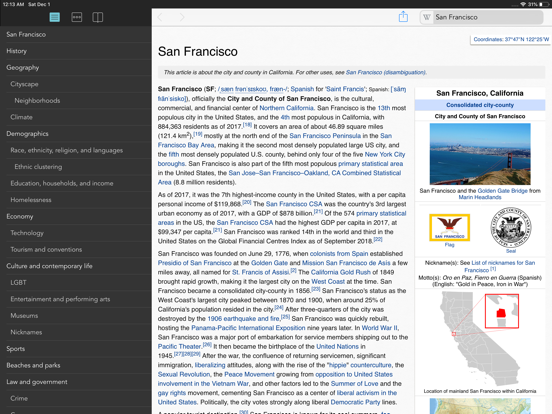
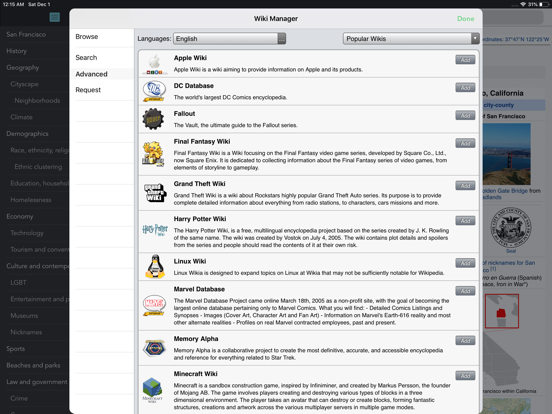
Accessing Wikipedia has never been faster and easier than with Wikipanion, designed for easy, search, navigation and display of Wikipedia entries. Streamline your browsing with history grouped by visit date, and bookmarking that not only bookmarks individual entries, but individual sections within an entry. Featuring intelligent features such as:
- Table of contents browser that knows where you are in the page
- Multiple search methods including Smart completion with entry preview, Google searching and a full text Wikipedia search
- Dual language searching and language switching (hiding languages you don't care about)
- Bookmark, including bookmarking individual sections of pages
- History, grouped by last visit date
- Full in-page searching
- Wiktionary dictionary term looking without leaving the current page
- Table based category browsing
- iCloud syncing
- Image saving to the Photo library
- Ogg vorbis audio playback for dictionary pronunciations and other audio content available on Wikipedia
- Article coordinate link shows location on map
- Contextual knowledge for sending links to specific sections in a Wikipedia entry
- Easily turn on automatic focusing of the search field on launch
Tip: Click into the search bar to cancel a page load request. To refresh a page, visit the page, click in the search bar and then hit "enter" again keeping the same page name.
See the Wikipanion web site for more details about all of the available features.