CenterStageXL-CustomSoundboard
CenterStageXL-CustomSoundboard Summary
CenterStageXL-CustomSoundboard is a with in-app purchases iOS app in Music And Audio by Discovolos. Released in Apr 2010 (16 years ago). Store metadata: updated Feb 20, 2022.
Store info: Last updated on App Store on Feb 20, 2022 .
0★
Ratings:
Screenshots


App Description
Bring out the star in you with CenterStage XL, an Extra-large customizable soundboard, with iTunes File Sharing, Sound Document support, Sound and Icon URL Pasting and Expanded Media Support (Premium Feature), Volume Control with Fade Out support and more. Entertain yourself and others in ways you haven't thought possible before. Ideal for DJ's, radio shows, sports announcers, role-playing games and anything else you can think of.
FEATURES:
- Tap to play.
- Tap and hold to play looped (not available for iPod Media sounds).
- Multi-tap to play multiple sounds at the same time.
- Drag/strum fingers across the board to create havoc.
- Sounds are ready to play, no loading or paging needed.
- Volume Control adjusts device volume.
- Fade Out / Mute button, with adjustable fade out duration.
- Record and use your own sounds with the built-in mic.
- Download and use WAV sounds from the internet (Paste-a-URL).
- Open and use WAV sound documents, like Mail attachments.
- Upload and use WAV sounds via iTunes File Sharing.
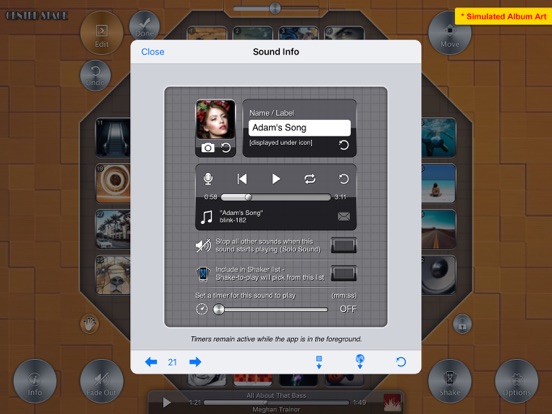
- PREMIUM FEATURE: Assign more types of audio to any button. Use the new now-playing status bar to pause/play/seek. (Expanded Media Support is available with a one-time InApp purchase)
- Customize button icons and board background from Photos or Camera (if available) or Pasteboard or the internet (Paste-a-URL) or via File Sharing or use any iPod library album art.
- Customize sound labels and button look.
- Paste sounds, icons, labels between buttons.
- Sounds can be set to Solo mode.
- Add sounds to Shaker list to Shake-to-play a random sound.
- Multiple/independent button timers.
- Email both built-in and recorded sounds.
- Move/Rearrange sound buttons.
- Toggle between single-button play mode and multi-touch play mode.
SOUNDS:
CenterStage XL has 52 sound buttons. The first 26 are pre-populated with built-in sounds/icons. The rest are blank for you to add some of your own sounds and icons. All 52 sound buttons are customizable, either from within the app or via other customization methods.
A comprehensive Info section describes in more detail how to use CenterStage XL and what sound formats are supported.
You can adjust the sensitivity of the accelerometer for motion activated play (Shake-to-play).
The 3 ways of playing sounds (tap, timers, Shake-to-play) do not interfere with each other and can be used in conjunction with each other.
With music sources, only one can be playing at any time, but will remain playing even after the app is closed.
With other sounds, multiple sounds can be playing at the same time (overlap), even while iPod