Note Taker HD
Note Taker HD Summary
Note Taker HD is a mobile iOS app in Productivity by Software Garden. Released in May 2010 (16 years ago). It has 167 ratings with a 4.16★ (good) average. Based on AppGoblin estimates, it reaches roughly 476 monthly active users . Store metadata: updated Sep 7, 2024.
Store info: Last updated on App Store on Sep 7, 2024 .
4.16★
Ratings: 167
Screenshots

App Description
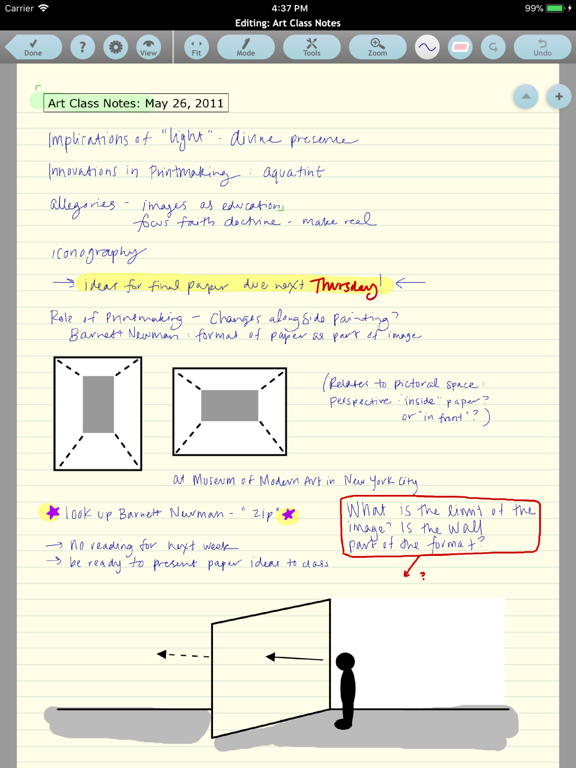
Zoomed ink, PDF markup, photos, shapes, typed text, folders and tagging, extensive AirPlay control, and much more.
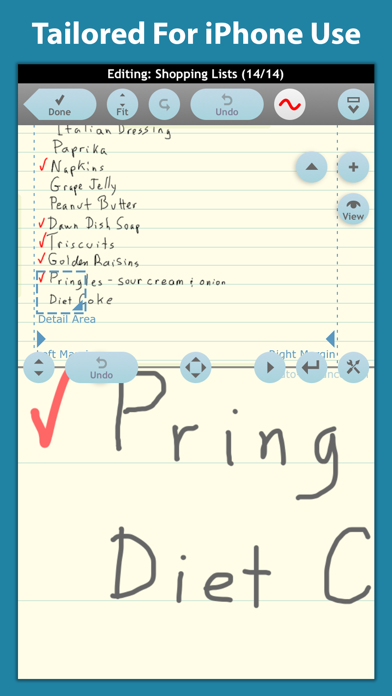
The latest upgrade of one of the first note taking apps designed specifically for the Apple iPad and now also available for the Apple iPhone, Note Taker HD has long been known as a powerful and stable application for writing and organizing handwritten notes and diagrams.
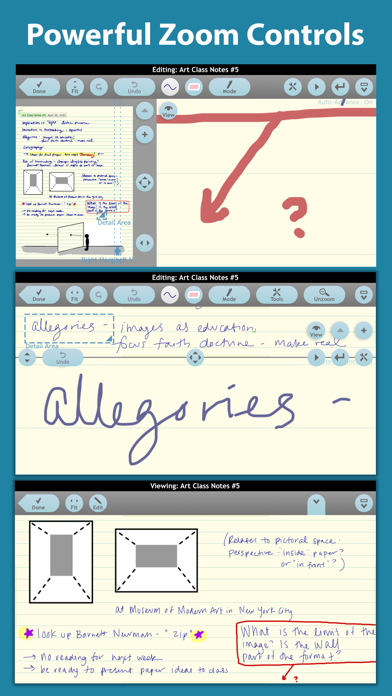
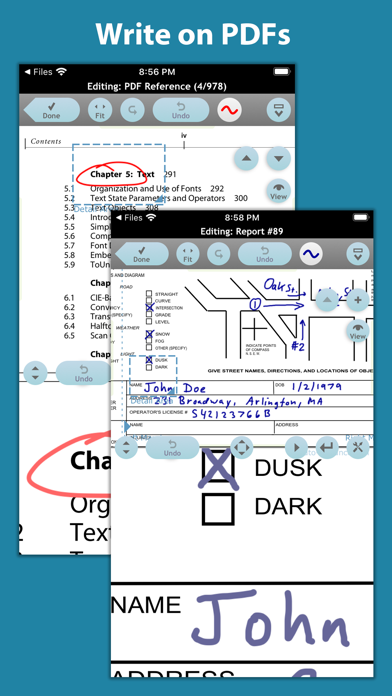
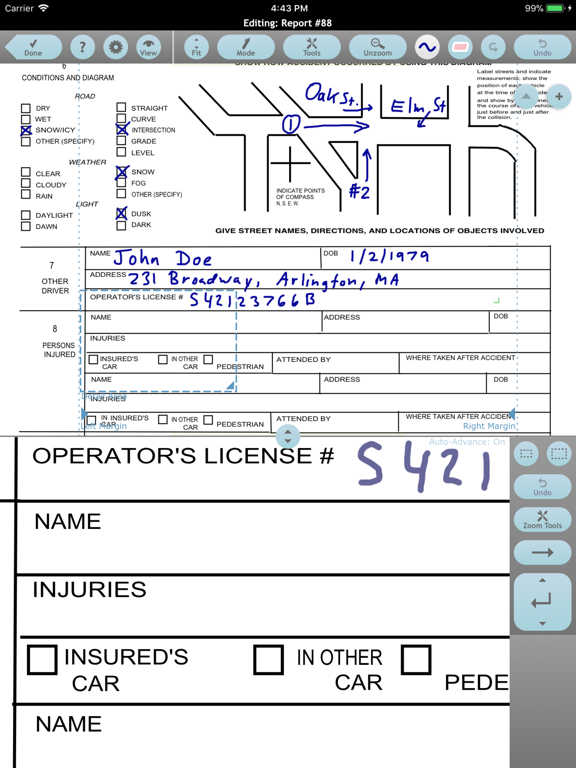
Note Taker HD can also be used to annotate PDF files. It can shrink your writing so you can easily fit a lot of text on a page. You can read the reduced-size "ink" as if you had written those letters with a very fine pen. It gives you solid functionality and control to produce the pages you need.
Documents are flexibly organized by tags, date/time last modified, favorites, and more, with a scrolling list of thumbnail images of part of each page to help you find them later. You can email one or more pages as a single PDF file, "Open In" other apps, or, if your device supports it, print.
Note Taker HD lets you create pages by writing on the screen with your finger or an iPad/iPhone-compatible stylus. You can either write directly on the page for large drawings, or have the "ink" you write shrunk down. You can write in large letters on the screen rather than trying to make tiny motions like a pencil. You just keep writing and Note Taker HD automatically adds new writing next to the old. To quickly correct mistakes, it has multi-level undo and redo buttons as well as an eraser -- just drag your finger over the page to erase the "ink" under it.
You can zoom in and out on a page using the pinch gesture while viewing or editing. The Zoomed Editing window lets you see both a zoomed-out overview and a zoomed-in close-up writing area at the same time.
You can use "Open In" in other apps send PDF files to Note Taker HD for annotation.
Other features include:
- Pages organized into documents and folders
- Typed blocks of text with optional borders
- 60+ highly customizable shapes
- Insert and crop images from Photo Albums, Pasteboard, or the iPad/iPhone camera
- Custom backgrounds from images or PDF pages
- Free templates and clip art on the support web site
- VGA/HDMI/AirPlay support with zoom, pan, and a moveable pointer
- Wrist guard to avoid inadvertent touches
- Layout variations better suited to some left-handed users
- Optional fields in output footers like in a word processo