한컴오피스 Viewer

한컴오피스 Viewer Summary
한컴오피스 Viewer is a ad-supported iOS app in Productivity by HANCOM Incorporated. Released in May 2010 (16 years ago). It has 86 ratings with a 2.06★ (poor) average. Based on AppGoblin estimates, it reaches roughly 331 monthly active users and generates around $<10K monthly revenue (0% IAP / 100% ads). Store metadata: updated May 28, 2026, version 10.42.39.160.
Data tracking: SDKs and third-party integrations were last analyzed on May 30, 2026.
Store info: Last updated on App Store on May 28, 2026 (version 10.42.39.160).
SDKs, Trackers & Permissions
한컴오피스 Viewer was last scanned for SDKs 2026-05-30. Below is the overview of third party companies detected in the app. The full list of raw SDKs, app permissions and unknown SDKs is available here.
 Reachability
 ReactiveX
 Google
 MongoDB
 Pangle
 Moloco
 AppLovin
 Facebook
 Firebase
App Details
App Store
Ads & App-Ads.txt
AppGoblin SDK Scans
2.06★
Ratings: 86
Screenshots


App Description
Overview
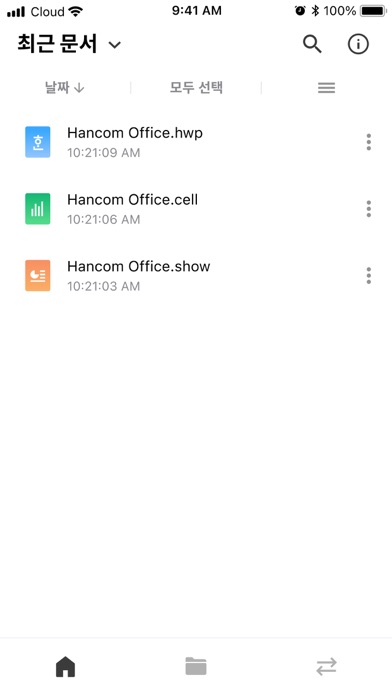
HancomOffice Viewer is a program that allows you to read and manage documents in various formats.
[System Requirements]
- OS: iOS 16.0 or higher
[Key Features]
1. Reading and managing Office documents: You can use the full-featured document viewer to read documents, change folders, and send emails.
2. Support for various document formats
- Hangul documents: hwp, hwpx, hwt
- Word documents: doc, docx, dot, dotx
- Spreadsheets: cell, csv, xls, xlsx, xlsm
- Presentations: show, ppt, pptx
- Other documents: pdf
3. Support for converting Hwp, Word, and Presentation documents to PDF or image files
- Hwp: hwp, hwt, hml, hwpx, hwtx, owpml -> pdf, png
- Word: doc, docx, dot, dotx, hwdt, rtf -> pdf, png
- Show: show, ppt, pptx, hsdt, htheme, thmx, potx -> pdf, png
[Answers to Important Inquiries]
When a $1 payment occurs during download: HancomOffice Viewer is a free program.
Occasionally, a $1 payment is made to verify the validity of the credit card registered in the app store, but the actual amount will not be charged.
[Important Notices]
- Due to mobile font embedding, some symbols and characters other than Hangul and English may not be displayed correctly.
- The font specified in the original document may be changed to a mobile font, which can affect the layout of the document.
[Required Access Permissions]
Device Information: This is used to provide device and iOS version information when contacting customer support for product inquiries.
■ If you encounter errors or have any inconveniences while using the app, please contact us at 'haancs@hancom.com' with details about the error environment and content, and we will investigate and respond.