iSequence HD

iSequence HD Summary
iSequence HD is a with in-app purchases iOS app in Music And Audio by BeepStreet. Released in May 2010 (16 years ago). It has 48 ratings with a 4.02★ (good) average. Based on AppGoblin estimates, it reaches roughly 138 monthly active users and generates around $<10K monthly revenue (100% IAP / 0% ads). Store metadata: updated Apr 13, 2026.
Store info: Last updated on App Store on Apr 13, 2026 .
4.02★
Ratings: 48
Screenshots
App Description
iSequence is a long-running iPad music app appreciated for its speed, simplicity, and distinctive workflow.
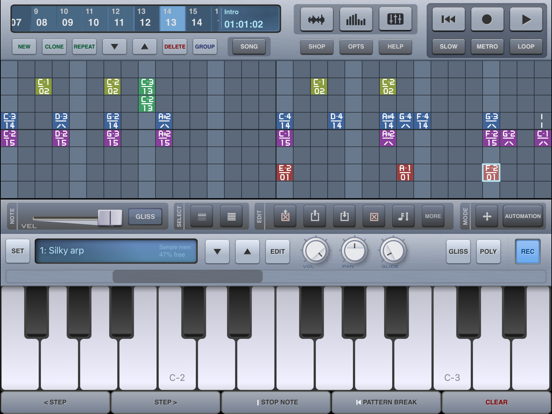
Build beats, melodies, and arrangements with an intuitive 8-track sequencer with 32-step patterns, shape sounds with its sampler, and mix everything with flexible DSP effects. Whether you are sketching loops or building full tracks, iSequence keeps music creation direct and hands-on.
FAST, FLUID WORKFLOW
Create patterns, record parts in real time, and edit them without interrupting playback. Switch between tracks, instruments, step sequencing, and automation as you build your song.
iSequence is built for sketching ideas quickly, jamming with loops, and arranging complete tracks in a simple, focused environment.
INSTRUMENTS
• 160 built-in instruments, including acoustic sounds, drum kits, pads, leads, sweeps, and ambient textures
• Additional sound banks available in the BankShop
• Play with the on-screen piano keyboard or drum pads
• Create custom instruments with the built-in sampler
• Supports CoreMIDI and MIDI instruments
REAL-TIME RECORDING AND AUTOMATION
• Record notes as you play
• Change tracks and instruments during playback
• Use the metronome and slowdown mode for easier recording
• Record parameter changes in real time
STEP SEQUENCER
• 8 tracks with FX curve editing
• 32 steps per row / pattern
• Instruments are not tied to tracks, allowing flexible sequencing and layering
• Edit notes with the piano keyboard, drum pads, and other controls
• Adjust note duration, panning, velocity, and gliss
• Copy, paste, move, and transpose patterns and selections
• Arrange patterns into full song structures
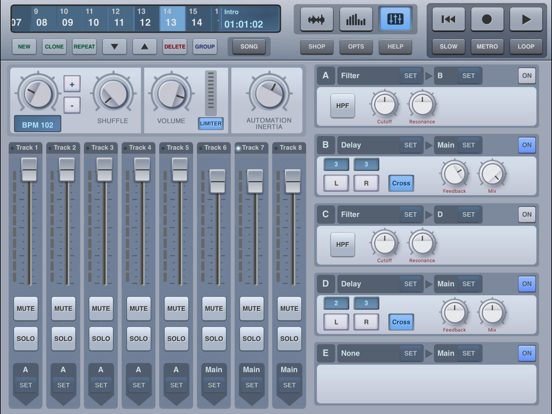
MIXER AND EFFECTS
• Adjust tempo, master volume, and shuffle
• Mute, solo, and set levels for each track
• Route tracks to 5 configurable effect channels
• Includes Filter, Reverb, Flanger, Delay, Ring Modulator, EQ, Lo-Fi Crusher, Live Looper, and Distortion
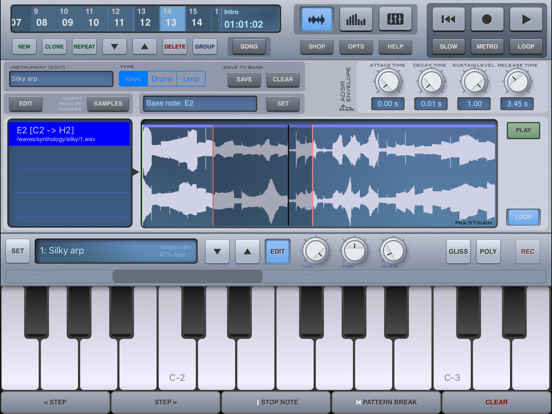
SAMPLER
• Import, record, or paste samples to build custom instruments
• Edit loop points, ADSR envelope, and sample mapping
• Slice loops and synchronize them to tempo automatically
FILE SHARING
• Export songs as HSQ, MIDI, or WAV
• Import samples and presets
• Copy tracks to the audio clipboard
• Import HSQ songs