HVAC Residential Load Calcs

HVAC Residential Load Calcs Summary
HVAC Residential Load Calcs is a with in-app purchases iOS app in Business by Carmel Software Corporation. Released in Aug 2010 (15 years ago). It has 3.00 ratings with a 3.00★ (mixed) average. Based on AppGoblin estimates, it reaches roughly 9.00 monthly active users and generates around $<10K monthly revenue (100% IAP / 0% ads). Store metadata: updated Apr 20, 2026.
Store info: Last updated on App Store on Apr 20, 2026 .
3★
Ratings: 3.00
Screenshots


App Description
This app may just change the way you do business.
This is one of the longest running HVAC Manual J8 cooling and heating load calculation apps on the market today. See why tens of thousands of engineers, technicians, and architects have licensed our software for their HVAC engineering needs.
(For full online help, click here: http://bit.ly/1GlRulY.
For training webinar, click here: http://bit.ly/1IHn7nA)
This app now includes the HVAC Equipment Locator. Click here for details: http://bit.ly/1yTq539.
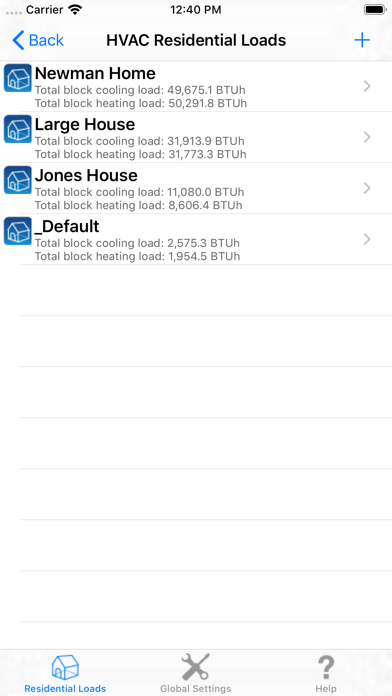
This app allows you to perform detailed block and room-by-room heating and cooling loads for residential buildings out in the field, by taking advantage of the simplicity and power of the iPhone.
This app was designed by Carmel Software Corporation, a 25-year old software design firm specializing in engineering analysis software applications. We are not just 1 person designing mobile apps out of a bedroom. We are a team of software developers and engineers with over 50 years combined software and engineering design experience. In fact, our software powers the analysis capabilities of major Autodesk (The makers of AutoCAD) software tools such as Autodesk Revit.
The following is just a small sample of the features included in this app:
1. Calculations based upon abridged ACCA Manual J8 calculations (This is not an ACCA-approved app. For our ACCA-approved iPad app, search for the HVAC ResLoad-J app on the app store)
2. Includes a 1000+ world-wide city weather database
3. Includes data for 100s of construction types for walls, roofs, floors, doors, windows, skylights, ceilings, and more
4. Allows you to create and store an unlimited number of projects
5. Allows you to create an unlimited number of rooms and view individual loads and airflows for those rooms
6. Allows you to specify an unlimited # of opaque types (ie – doors, walls, roofs, floors, ceilings), window types, and skylight types for each building
7. Allows you to instantly view total heating and cooling load results as you update input data
8. Allows you to view comprehensive cooling and heating load breakdown reports including breakdown by opaque load, window load, skylight load, infiltration load, ventilation load and internal load contributions
9. Opaque inputs include opaque type, opaque construction number, dimensions, and opening areas
10. Window inputs include window type, interna