Emulsio › Video Stabilizer

Emulsio › Video Stabilizer Summary
Emulsio › Video Stabilizer is a free, with in-app purchases iOS app in Photo And Video by Creaceed SRL. Released in Jan 2011 (15 years ago). It has 1.5K ratings with a 3.67★ (average) average. Based on AppGoblin estimates, it reaches roughly 674 monthly active users and generates around $<10K monthly revenue (100% IAP / 0% ads). Store last updated Jul 27, 2026
Emulsio › Video Stabilizer SDKs Summary
Emulsio › Video Stabilizer was last scanned for SDKs on 2026-05-08. No known SDKs were detected. Check the raw list of SDK parts detected here and feel free to request unknown SDKs be added to AppGoblin.
3.67★
Ratings: 1.5K
Screenshots


App Description
** Macworld Conference ‘Best of Show’ winner (San Francisco) **
Bring cinematic power to every frame. Emulsio is a powerful video editing app that helps you transform ordinary footage into polished, cinematic moments. Instantly stabilize shaky shots, upscale to crisp 4K, enhance frame rate, and even add stunning AI-generated slow motion for dramatic effect — all with intuitive control.
"The BEST iOS Video Stabilizer App Just Got BETTER!"
— iPhoneographers (USA)
"A serious and sophisticated stabilization app [...] This is my gold standard stabilization app."
— Josh S. (USA)
"Very useful, accurate, efficient, simple to use and an affordable stabilizer app! [...] highly recommend it to any mobile phone videographer and content creator."
— Ashdeli (Canada)
Perfect for content creators, Emulsio gives you precise tools to shape your vision. Adjust stabilization strength in real time. Insert slow-motion segments exactly where you want them, with custom timing and playback speed. Trim, cut, and fine-tune before export, all while maintaining full control over output quality, including HDR support.
Emulsio works seamlessly with video shot from Apple devices, drones, action cams, and more. Available on iPhone, iPad, and Mac.
STABILIZER & SLOW MOTION
• Import any video from your album or from Files.
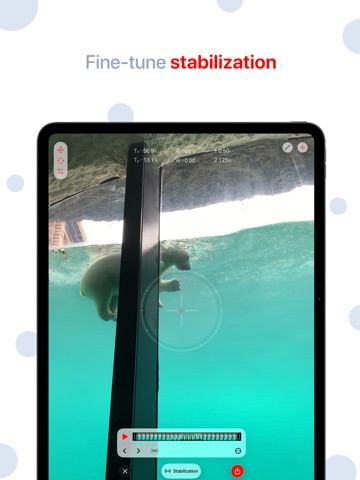
• Fine-tune stabilization strength to remove unwanted shake with precision
• Smooth out horizontal, vertical and rotational camera motion, even rolling shutter distortion
• Advanced border handling options, including motion limits and multi-frame inpainting
• Instantly preview stabilization results with interactive split-screen playback
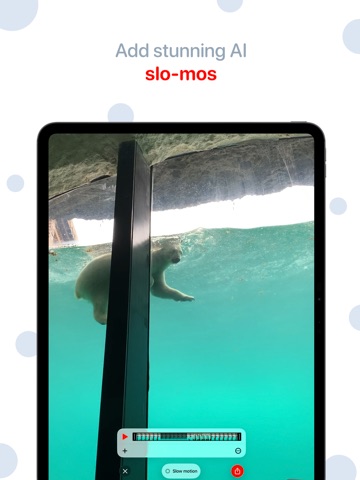
• Insert slow motion anywhere in the timeline with custom speed (up to 10x slower) and duration, on-device AI-powered frame generation(*) is performed during export
OTHER FEATURES
• Adjust video frame rate up(*) or down
• Up to 400% frame rate increase (ex. 30 → 120 FPS)
• Upscale lower-res video with on-device AI processing (ex. HD → 4K)
• Trim or cut clips non-destructively with timeline editing
• Full HDR support, including Dolby Vision/HLG & PQ, ensures dynamic range stays intact from import to export
• Fully exposed video encoder settings: format (mov, mp4, m4a), codec (H.264, HEVC), quality/bitrate, resolution to customize output for smaller size or better quality
• Share your fin