Battery Max - Tips for battery
ASO Keyword Dashboard
Tracking 106 keywords for Battery Max - Tips for battery in Apple App Store
Battery Max - Tips for battery tracks 106 keywords (1 keyword ranks; 105 need traction). Key metrics: 0% top-10 coverage, opportunity 51.0, difficulty 43.4, best rank 125.
Tracked keywords
106
1 ranked • 105 not ranking yet
Top 10 coverage
0%
Best rank 125 • Latest leader —
Avg opportunity
51.0
Top keyword: free
Avg difficulty
43.4
Lower scores indicate easier wins
Opportunity leaders
- 89.9
free
Opportunity: 59.0 • Difficulty: 63.5 • Rank —
Competitors: 2,147
- 88.4
make
Opportunity: 59.0 • Difficulty: 62.7 • Rank —
Competitors: 1,773
- 88.7
time
Opportunity: 59.0 • Difficulty: 62.9 • Rank —
Competitors: 1,805
- 85.2
help
Opportunity: 59.0 • Difficulty: 61.1 • Rank —
Competitors: 1,236
- 87.6
like
Opportunity: 59.0 • Difficulty: 63.2 • Rank —
Competitors: 1,767
Unranked opportunities
free
Opportunity: 59.0 • Difficulty: 63.5 • Competitors: 2,147
make
Opportunity: 59.0 • Difficulty: 62.7 • Competitors: 1,773
time
Opportunity: 59.0 • Difficulty: 62.9 • Competitors: 1,805
help
Opportunity: 59.0 • Difficulty: 61.1 • Competitors: 1,236
like
Opportunity: 59.0 • Difficulty: 63.2 • Competitors: 1,767
High competition keywords
free
Total apps: 9,480 • Major competitors: 2,147
Latest rank: — • Difficulty: 63.5
time
Total apps: 8,391 • Major competitors: 1,805
Latest rank: — • Difficulty: 62.9
make
Total apps: 8,094 • Major competitors: 1,773
Latest rank: — • Difficulty: 62.7
like
Total apps: 7,508 • Major competitors: 1,767
Latest rank: — • Difficulty: 63.2
help
Total apps: 5,873 • Major competitors: 1,236
Latest rank: — • Difficulty: 61.1
All tracked keywords
Includes opportunity, difficulty, rankings and competitor benchmarks
| Major Competitors | |||||||
|---|---|---|---|---|---|---|---|
| battery | 58 | 100 | 41 | 59 420 competing apps Median installs: 237,375 Avg rating: 4.5 | 125 | 125 | 86 major competitor apps |
| free | 59 | 100 | 63 | 90 9,480 competing apps Median installs: 264,750 Avg rating: 4.6 | — | — | 2,147 major competitor apps |
| top | 58 | 100 | 59 | 78 2,843 competing apps Median installs: 305,500 Avg rating: 4.6 | — | — | 706 major competitor apps |
| health | 58 | 100 | 51 | 71 1,361 competing apps Median installs: 248,675 Avg rating: 4.7 | — | — | 307 major competitor apps |
| device | 58 | 100 | 55 | 75 1,985 competing apps Median installs: 265,675 Avg rating: 4.6 | — | — | 425 major competitor apps |
| make | 59 | 100 | 63 | 88 8,094 competing apps Median installs: 266,850 Avg rating: 4.6 | — | — | 1,773 major competitor apps |
| whether | 58 | 100 | 59 | 79 3,139 competing apps Median installs: 267,650 Avg rating: 4.6 | — | — | 715 major competitor apps |
| connected | 58 | 100 | 52 | 69 1,069 competing apps Median installs: 269,250 Avg rating: 4.6 | — | — | 232 major competitor apps |
| care | 58 | 100 | 49 | 70 1,236 competing apps Median installs: 259,912 Avg rating: 4.6 | — | — | 262 major competitor apps |
| active | 58 | 100 | 48 | 70 1,226 competing apps Median installs: 266,075 Avg rating: 4.6 | — | — | 268 major competitor apps |
| used | 58 | 100 | 53 | 72 1,494 competing apps Median installs: 237,800 Avg rating: 4.6 | — | — | 279 major competitor apps |
| save | 58 | 100 | 61 | 81 3,777 competing apps Median installs: 254,125 Avg rating: 4.6 | — | — | 858 major competitor apps |
| using | 58 | 100 | 61 | 83 4,473 competing apps Median installs: 247,200 Avg rating: 4.6 | — | — | 924 major competitor apps |
| life | 58 | 100 | 54 | 77 2,518 competing apps Median installs: 234,138 Avg rating: 4.6 | — | — | 503 major competitor apps |
| time | 59 | 100 | 63 | 89 8,391 competing apps Median installs: 259,600 Avg rating: 4.6 | — | — | 1,805 major competitor apps |
| available | 58 | 100 | 64 | 82 4,074 competing apps Median installs: 282,412 Avg rating: 4.6 | — | — | 979 major competitor apps |
| excellent | 57 | 100 | 37 | 56 297 competing apps Median installs: 219,650 Avg rating: 4.6 | — | — | 55 major competitor apps |
| help | 59 | 100 | 61 | 85 5,873 competing apps Median installs: 257,100 Avg rating: 4.6 | — | — | 1,236 major competitor apps |
| monitor | 58 | 100 | 49 | 66 847 competing apps Median installs: 244,700 Avg rating: 4.6 | — | — | 175 major competitor apps |
| favorite | 20 | 100 | 64 | 82 4,162 competing apps Median installs: 297,838 Avg rating: 4.6 | — | — | 1,049 major competitor apps |
| ios | 58 | 100 | 50 | 69 1,128 competing apps Median installs: 238,712 Avg rating: 4.6 | — | — | 226 major competitor apps |
| purchase | 58 | 100 | 54 | 76 2,190 competing apps Median installs: 258,238 Avg rating: 4.6 | — | — | 470 major competitor apps |
| activity | 58 | 100 | 56 | 64 649 competing apps Median installs: 305,825 Avg rating: 4.6 | — | — | 158 major competitor apps |
| view | 58 | 100 | 60 | 79 3,121 competing apps Median installs: 254,100 Avg rating: 4.7 | — | — | 667 major competitor apps |
| many | 58 | 100 | 55 | 81 3,804 competing apps Median installs: 252,775 Avg rating: 4.6 | — | — | 758 major competitor apps |
App Description
Battery Max notifies you when a full charge of the device battery is complete. You can specify battery health percentage, when your battery drains quickly.
Now battery max, comes with useful add-ons like a full system activity monitor.
The System Activity Monitor features comes with an In-App purchase includes:
KEY FEATURES:
1. Battery tips are shown to help save battery life while using the iPhone.
2. Tap battery to see the battery capacity for your favorite apps.
3. Shows the used and free space on your iPhone/iPod/iPad
4. Shows the IP address acquired, and hardware address of your device.
5. Shows the detailed system information, like physical specs, hardware info, and many more.
These are the different views on the App.
Memory view:
Shows the used and free iPhone memory available as used by other apps. This is shown in an excellent speedometer animation view. Double tap home button, and see other apps in use. Close out the other apps, and see the memory being reclaimed in this app, when the speedometer shows the free memory available increase.
This has a glow light indicator with BLUE, GREEN, YELLOW and RED colors indicating the severity of memory being used.
Double tap the speedometer, to see a 3D bar view of the different break up of the memory used. Like, Free, Wired, Active and Inactive memory of your iOS device.
Battery view:
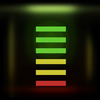
This view shows the battery available for discharge, how much time to recharge to make it full, and when it is charged to FULL, displays an indication. It has glow lights on the top panel to let you know, how much battery is available. GREEN, YELLOW and RED indicators on battery available.
Tap the battery on the fill, to show the detailed break up of battery availability for 3G talk time, browsing, videos, games etc.
Animated battery charging with current flashes inside the battery.
Space used view:
This is shown as a pie-chart that presents the used and free space available on your iOS device.
Info view:
Now it shows a lot more device information, like system information, camera information, display, hardware and physical characteristics. It shows whether you device is connected to Wi-Fi or cellular and its IP address.
STAY UPDATED -
Website - http://sysmon.tektontek.com
Twitter - @App