Central Bank - Mobile

Central Bank - Mobile Summary
Central Bank - Mobile is a free iOS app in Finance by Central Bancompany. Released in Dec 2010 (15 years ago). It has 56K ratings with a 4.86★ (excellent) average. Based on AppGoblin estimates, it reaches roughly 673K monthly active users . Store last updated Sep 2, 2026
Recent activity: 86 new ratings this week View trends →
Central Bank - Mobile SDKs Summary
App not yet scanned for SDKs.
4.86★
Ratings: 56K
Screenshots




App Description
Easily manage your accounts on the go with Mobile Banking*. Track spending, pay bills, deposit checks, transfer funds, send money, and find nearby ATMs or branches.
Early Direct Deposit
- Access your direct deposit funds sooner with Early Direct Deposit for eligible checking accounts**.
Save
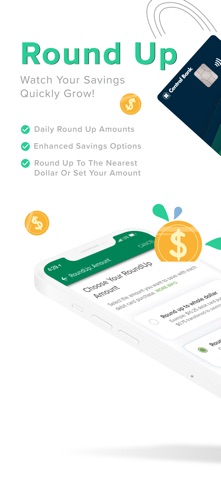
- Turn on Round-Up to automatically save by rounding up your debit card purchases, with daily transfers of the difference to your savings account.
- Use Money Manager, a free tool available within Mobile Banking that provides personalized insights to help you save, budget, and track expenses.
Send
- Send and receive money with Zelle®, a fast and easy way to pay friends, family, and people you trust.
- Transfer money to and from your accounts at other banks.
- Pay bills by scheduling payments, setting up recurring payments, and managing payees.
Manage
- View account activity, statements, and tax documents; transfer money, make loan payments, and more.
- Deposit checks by taking a photo with your smartphone using Mobile Check Deposit.
- Request a replacement card, verify your details, and place your order—all within Mobile Banking.
Customize Your Experience
- Add nicknames and customize the order of your accounts.
- Add a profile picture to help confirm you’re signing into the correct account.
- Use Quick Balance by swiping down on the Central Bank logo on the app login screen to view account balances and recent activity.
- Use your smartwatch to check balances, view recent transactions, and lock your card.
Security
- Enable biometrics to log in using fingerprint authentication or face unlock (Pixel devices).
- Use multi-factor authentication for an added layer of security when logging in from new or unknown devices.
- Receive push, text, or email alerts for balances, transactions, cards, and payments.
For an optimal experience, our app works best on devices with IOS 14 and up. If you are using an older version, you may not receive all new features. If you are having issues, navigate to our mobile-friendly website through your device browser.
Member FDIC. *Mobile Banking is free, but data and text rates from your mobile carrier may apply. Terms and conditions apply. Zelle® is intended for sending money to family, friends, and people you know. We recommend that you do not use Zelle® to send money to anyone you do not know. Z