ParentVUE

ParentVUE Summary
ParentVUE is a free iOS app in Education by Edupoint Educational Systems. Released in Dec 2010 (15 years ago). It has 178 ratings with a 1.91★ (poor) average. Based on AppGoblin estimates, it reaches roughly 1.1K monthly active users . Store last updated Jun 9, 2026
Recent activity: 7.00 new ratings this week View trends →
SDK intelligence: AppGoblin detected 2 development tools(e.g. Google),and 1 analytics: product integrated into ParentVUE. View full SDK list →
ParentVUE SDKs Summary
ParentVUE was last scanned for SDKs on 2026-08-26. Below is the overview of third-party companies detected in the app. The full list of SDKs, permissions and unknowns is available here.
 Google
 nanopb
 Firebase
1.91★
Ratings: 178
Screenshots




App Description
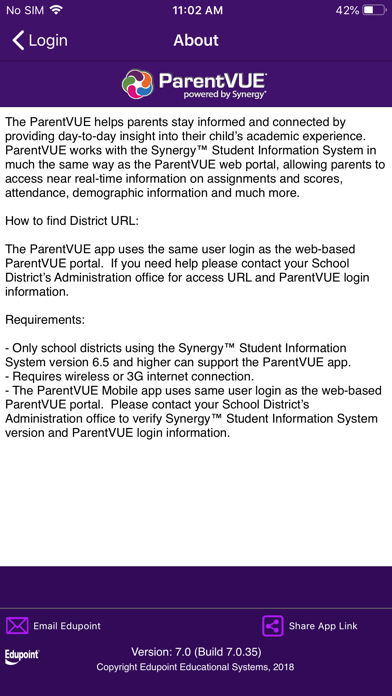
The ParentVUE Mobile application helps parents stay informed and connected by providing day-to-day insight into their child’s academic experience. ParentVUE Mobile for the iPhone/iPod Touch works with the Synergy™ student information system in much the same way as the ParentVUE web portal, allowing parents to access near real-time information on assignments and scores, attendance, and demographic information. ParentVUE offers parents a single sign-on to view all of their children’s information regardless of school.
How to find District URL and Login Information:
The ParentVUE app uses the same user login as the web-based ParentVUE portal. If you need help
please contact your School District’s Administration office for access URL and ParentVUE login information.
Requirements:
• Only school districts using the Synergy™ student information system version 6.5 and higher can support the ParentVUE for the iPhone application.
• Requires wireless or 3G Internet connection.
• The ParentVUE Mobile for the iPhone/iPod Touch app uses same user login as the web-based ParentVUE portal. Please contact your School District’s Administration office to verify Synergy™ version and ParentVUE login information.