TouchChat HD- AAC w/ WordPower

TouchChat HD- AAC w/ WordPower Summary
TouchChat HD- AAC w/ WordPower is a with in-app purchases iOS app in Education by Prentke Romich Company. Released in Jan 2011 (15 years ago). It has 177 ratings with a 3.97★ (average) average. Based on AppGoblin estimates, it reaches roughly 134 monthly active users and generates around $<10K monthly revenue (100% IAP / 0% ads). Store metadata: updated May 27, 2026.
Store info: Last updated on App Store on May 27, 2026 .
3.97★
Ratings: 177
Screenshots



App Description
TouchChat is a full-featured Augmentative and Alternative Communication (AAC) solution for individuals who have difficulty using their natural voice. TouchChat is designed for individuals with Autism, Down Syndrome, ALS, apraxia, stroke, or other conditions that affect a person's ability to use natural speech.
TouchChat gives an individual the ability to choose a vocabulary file which consists of pages and buttons that contain words, phrases, sentences, and other functions. Messages are spoken with a built-in voice synthesizer or by playing a recorded message. Various synthesized and custom voice options are available, allowing the user to choose a voice that fits their own personality.
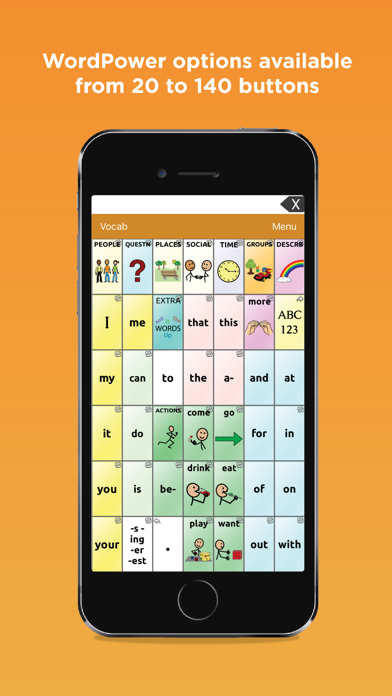
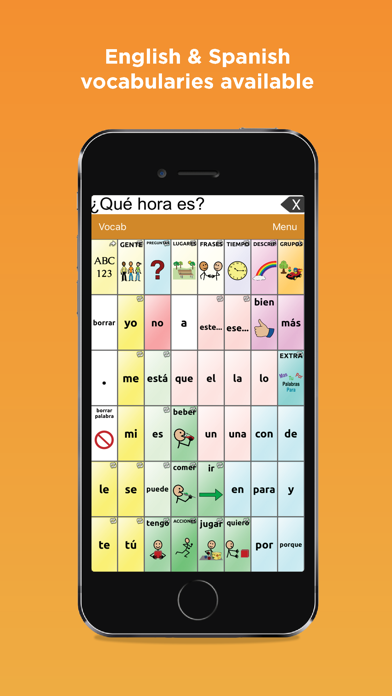
This version of TouchChat is bundled with the WordPower® series of AAC vocabularies designed by Nancy Inman. WordPower is a word-based vocabulary that allows for easy and intuitive communication. TouchChat HD with WordPower includes English, Spanish, French, and Mandarin options in a universal app supporting iPhone®, iPod touch® and iPad®.
Various vocabulary files are included. Visit our website for a full list of options.
The Upgrade Store provides English vocabularies files (Gateway©, Pixon®60 and Talk About AAC), services, and symbol libraries.
Vocabulary files within TouchChat are fully customizable, including pages, grid layout, buttons, messages, and symbols. Select from over 45 button actions and nearly 40,000 Symbolstix® symbols* when creating new buttons. You can also choose to use an existing image or take a photo with the built-in camera. Additionally, gestures can be used to navigate to new pages, speak messages, etc.
*Please note: PCS© symbols can only be used in TouchChat after an in-app purchase is completed.
Button activation timing can be adjusted to meet the needs and capabilities of the user. Adjustments include button dwell time and button release time. Buttons can also be configured to activate on release.
Additional access methods such as scanning, head tracking, and eye tracking may be available based on device model and may require an additional hardware purchase.
Once programming is complete, vocabulary files can be imported and exported through AirDrop, email, iTunes® file sharing, DropBox™ or Google Drive™. TouchChat also enables users to subscribe to iShare and store custom files for safe keeping (not available to